44 Opening and closing
power window switches have a two-position
function:
Opening the windows
.. Push the switch to the first stop and hold it
t here until the window has lowered to the
desired position .
.. Push the switch briefly to the
second stop:
the window will automatically open all the
way.
.. By briefly pressing/pulling the switch again,
the downward trave l of the window can be
stopped in any position
c:> .&. in Controls on
page 43.
Closing the windows
.. Pull the switch up to the first stop and hold
it there until the window has risen to the de-
sired posit ion .
.. Pull the switch qu ickly to the
second posi-
tion :
the window will automatically close all
the way
c:> ,&. in Controls on page 43.
.. By briefly pressing/pulling the switch again,
the upward travel of the window can be
stopped in any position
c:> .&. in Controls on
page 43 .
Activating/deactivating rear windows
.. Push the switch to the depressed position
to
activate the rear windows - the light in
the switch will go out.
.. Briefly press the switch to
deactivate the
rear windows - the switch will return to the
safety position and the light
LJ will illumi-
nate.
The safety switch ®
c:> page 43, fig. 40 in the
armrest on the driver's door turns off the rear
power windows. Only when the safety switch
is depressed can the rear windows be opened
or closed. The symbol in the safety switch illu-
minates when the power windows in the rear
doors are switched off (button NOT de-
pressed). This feature has been provided for
the safety of small children riding in the rear
of th e vehicle.
(D Tips
The windows can still be opened and
closed for about ten minutes after the ig-
nition has been turned off. The power win-
dows are not shut off unt il one of the front
doors is opened.
' Convenience close/open feature
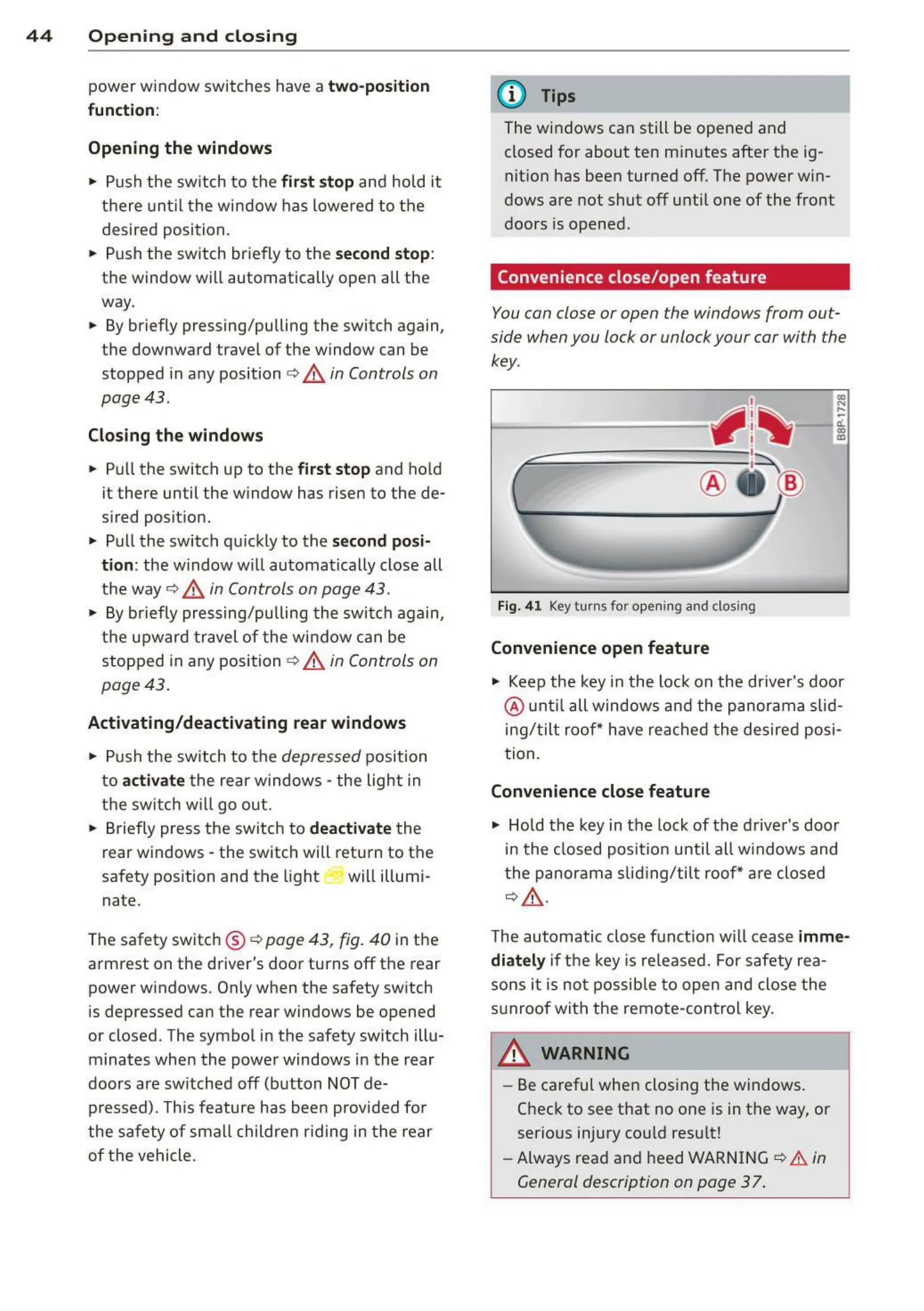
You can close or open the windows from out-
side when you lock or unlock your car with the
key.
Fig. 41 Key turns for opening and closing
Convenience open feature
co
...
....
11.
a:,
a,
"' Keep the key in the lock on the driver's door
@ until all windows and the panorama slid-
ing/tilt roof * have reached t he desired posi-
tion .
Convenience close feature
"' Hold the key in the lock of the driver's door
in the closed posit ion until all windows and
the panorama slid ing/tilt roof* are closed
c:> ,&..
The automatic close funct ion will cease imme-
diately
if the key is released. For safety rea-
sons it is not possible to open and close the
sunroof with the remote-control key.
A WARNING
=
-
- Be careful when closing the windows.
Check to see that no one is in the way, or
serious injury could resu lt!
- Always read and heed WARNING
c:> A in
General description on page 37 .



 To Next Page