- Do not clean the grille with a vacuum clean-
er, otherwise the sensors could be damaged .
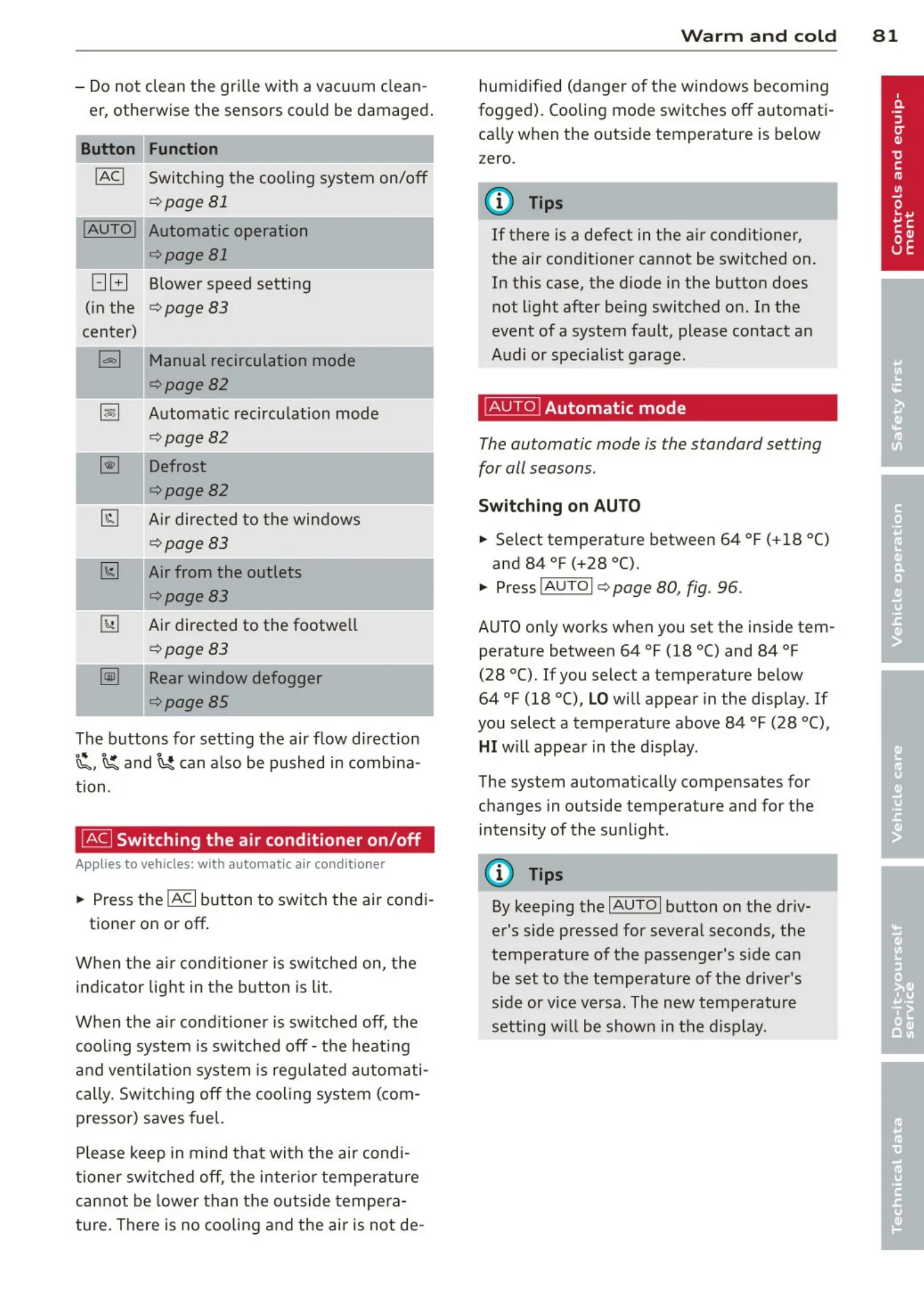
Function
!ACI Switching the cooling system on/off
q page 81
!AUTOI Automatic operation
qpage 81
[:] B Blower speed setting
(in the
q page 83
center)
l=I Manual recirculation mode
qpage82
~
Automat ic recircu lation mode
q page 82
~
Defrost
q page82
@J Air directed to the windows
¢ page83
[1;] Air from the outlets
q page83
~
Air directed to the footwe ll
~ page83
-=-·--
~
Rear window defogger
¢page85
The buttons for sett ing the air flow direction
~. ~and~ can also be pushed in combina-
tion .
~
Switching the air conditioner on/off
Applies to vehicles: with automat ic air conditioner
... Press the !ACI button to switch the air cond i-
tioner on or off.
When the air cond it ione r is switched on, t he
indicator light in the button is lit.
When the air cond it ioner is switched off, the
cooling system is switched off - t he heat ing
and vent ilation system is regulated automati-
cally. Switching off t he cooling system (com -
pressor) saves fuel.
Please keep in mind that with the air cond i-
tioner switched off, the inter ior temperature
cannot be lower than the outside tempe ra-
ture. There is no cooling and the air is not de-
Warm and co ld 8 1
humid ified (danger of the windows becom ing
fogged). Cooling mode switches off automati-
cally when the outs ide temperature is below
zero.
(D Tips
If there is a defect in the air conditioner,
the air conditioner cannot be switched on.
In this case, the diode in the button does
not light after being switched on. In the
event of a system fault, please contact an
Audi or specia list garage.
~
Automatic mode
The automatic mode is the standard setting
for all seasons.
Switching on AUTO
... Select tempe rat ure between 64 °F (+18 °()
and 84 °F (+28 °C).
... Press
IAUTOI q page 80, fig. 96 .
AUTO on ly works when you set the inside tem -
perature between 64 °f (18 °C) and 84 °f
(28 °C). If you select a temperature below
64 °F (18 °(),
LO will appear in the display . If
you select a temperat ure above 84 °F (28 °C),
HI will appea r in t he disp lay.
The system automatically compensates for
changes in outside temperature and for the
intensity of the su nlight.
(D Tips
By keeping the IAUTOI button on the driv-
er's side pressed for several seconds, the
temperature of the passenger's side can
be set to the temperature of t he driver's
side or vice versa. The new temperature
setting will be shown in the display.



 To Next Page