EasyManua.ls Logo

Audi A7 2023 - Page 176

Audi A7 2023
332 pages
Print Icon
To Next Page IconTo Next Page
To Previous Page IconTo Previous Page
Loading...
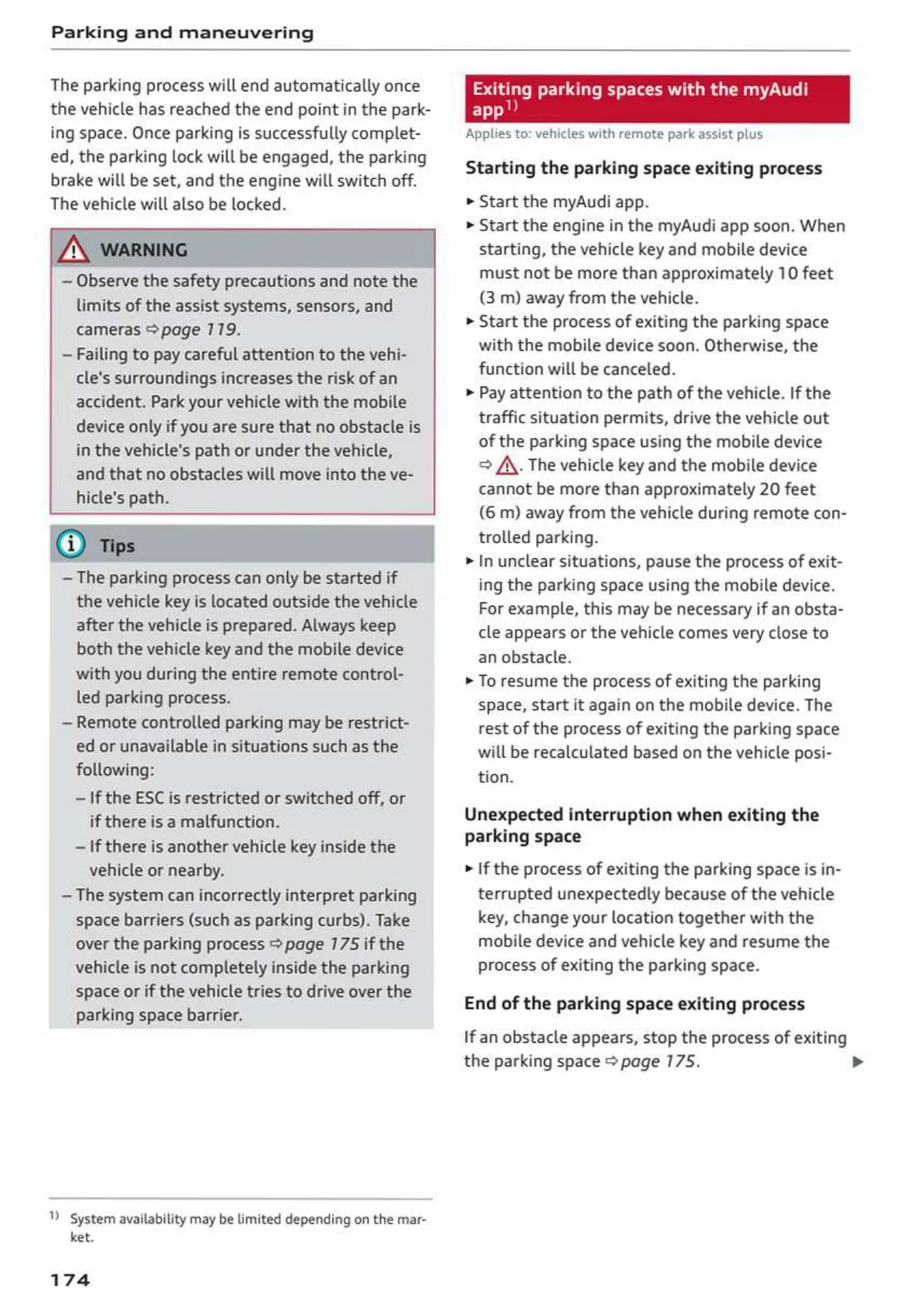
Parking
and
maneuvering
The parking
process
will
end
automatically
once
the
vehicle
has
reached
the
end
point
in
the
park-
ing
space.
Once
parking
is
successfully
complet-
ed,
the
parking
lock
will
be
engaged,
the
parking
brake
will
be
set,
and
the
engine
will
switch
off.
The
vehicle
will
also
be
locked.
—
Observe
the
safety
precautions
and
note
the
limits
of
the
assist
systems,
sensors,
and
cameras
page
119.
—
Failing
to
pay
careful
attention
to
the
vehi-
cle's
surroundings
increases
the
risk
of
an
accident.
Park
your
vehicle
with
the
mobile
device
only
if
you
are
sure
that
no
obstacle
is
in
the vehicle's
path
or
under
the
vehicle,
and
that
no
obstacles
will
move
into
the
ve-
hicle's
path.
~The
parking
process
can only
be
started
if
the
vehicle
key
is
located outside
the
vehicle
after
the
vehicle
is
prepared.
Always
keep
both
the
vehicle
key
and
the
mobile
device
with
you
during
the
entire
remote
control-
led
parking
process.
—
Remote
controlled
parking
may
be
restrict-
ed
or
unavailable
in
situations
such
as
the
following:
~
If
the
ESC
is
restricted
or
switched
off,
or
if
there
is
a
malfunction.
~
If
there
is
another
vehicle
key
inside
the
vehicle
or
nearby.
~The
system
can
incorrectly
interpret
parking
space
barriers
(such
as
parking
curbs).
Take
over the
parking process
page
175
if
the
vehicle
is
not
completely
inside
the
parking
space
or
if
the
vehicle
tries
to
drive
over
the
parking
space
barrier.
1)
system
availability
may
be
limited
depending
on
the
mar-
ket
174
9
parking
spaces
with
the
myAu
Applies
to:
vehicles
with
remote
park
assist
plus
Starting
the
parking
space
exiting
process
»
Start
the
myAudi
app.
»
Start
the
engine
in
the
myAudi
app
soon.
When.
starting,
the
vehicle
key
and
mobile
device
must
not
be
more
than
approximately
10
feet
(3
m)
away
from
the
vehicle.
»
Start
the
process
of
exiting
the
parking space
with
the
mobile
device
soon.
Otherwise,
the
function
will
be
canceled.
»
Pay
attention
to
the
path
of
the
vehicle.
If
the
traffic
situation
permits,
drive
the
vehicle
out
of
the
parking
space
using
the
mobile
device
>
A\. The
vehicle
key
and
the
mobile
device
cannot
be
more
than
approximately
20
feet
(6
m)
away
from
the
vehicle
during
remote
con-
trolled
parking.
»
In
unclear
situations,
pause
the
process
of
exit-
ing
the
parking
space
using
the
mobile
device.
For
example,
this
may
be
necessary
if
an
obsta-
cle
appears
or
the
vehicle
comes
very
close
to
an
obstacle.
»
To
resume
the
process
of
exiting
the
parking
space,
start
it
again
on
the
mobile
device.
The
rest
of
the
process
of
exiting
the
parking
space
will
be
recalculated
based
on
the
vehicle
posi-
tion.
Unexpected
interruption
when
exiting
the
parking
space
»
If
the
process
of
exiting
the
parking space
is
in-
terrupted
unexpectedly
because
of
the
vehicle
key,
change
your
location
together
with
the
mobile
device
and
vehicle
key
and
resume
the
process
of
exiting
the
parking
space.
End
of
the
parking
space
exiting
process
If
an
obstacle
appears,
stop
the
process
of
exiting
the
parking
space
®
page
175.

Table of Contents