3. Carrying out update programming
Note:
Please ensure the customer is aware that user-specific settings, in particular
all numbers and address book entries saved in the phone (not to the SIM card) may
be deleted during the update programming session.
Please refer to Chapter 7 "Importing and exporting customer data"
1. Switch on the MMI.
2. Insert the MMI update CD with the label facing upwards into the control system
internal drive for the information electronics.
3. Wait at least two minutes to allow the system to analyse the MMI update
CD and for the MMI system to be ready for updating.
4. Press the appropriate function selector button to activate the RADIO menu.
5. First press Tone and then Back and hold both buttons down simultaneously
for approx. five seconds until the display changes.
Note: You can quit the software download process at any time by simultaneously
pressing and holding the Tone and Back buttons for more than five seconds.
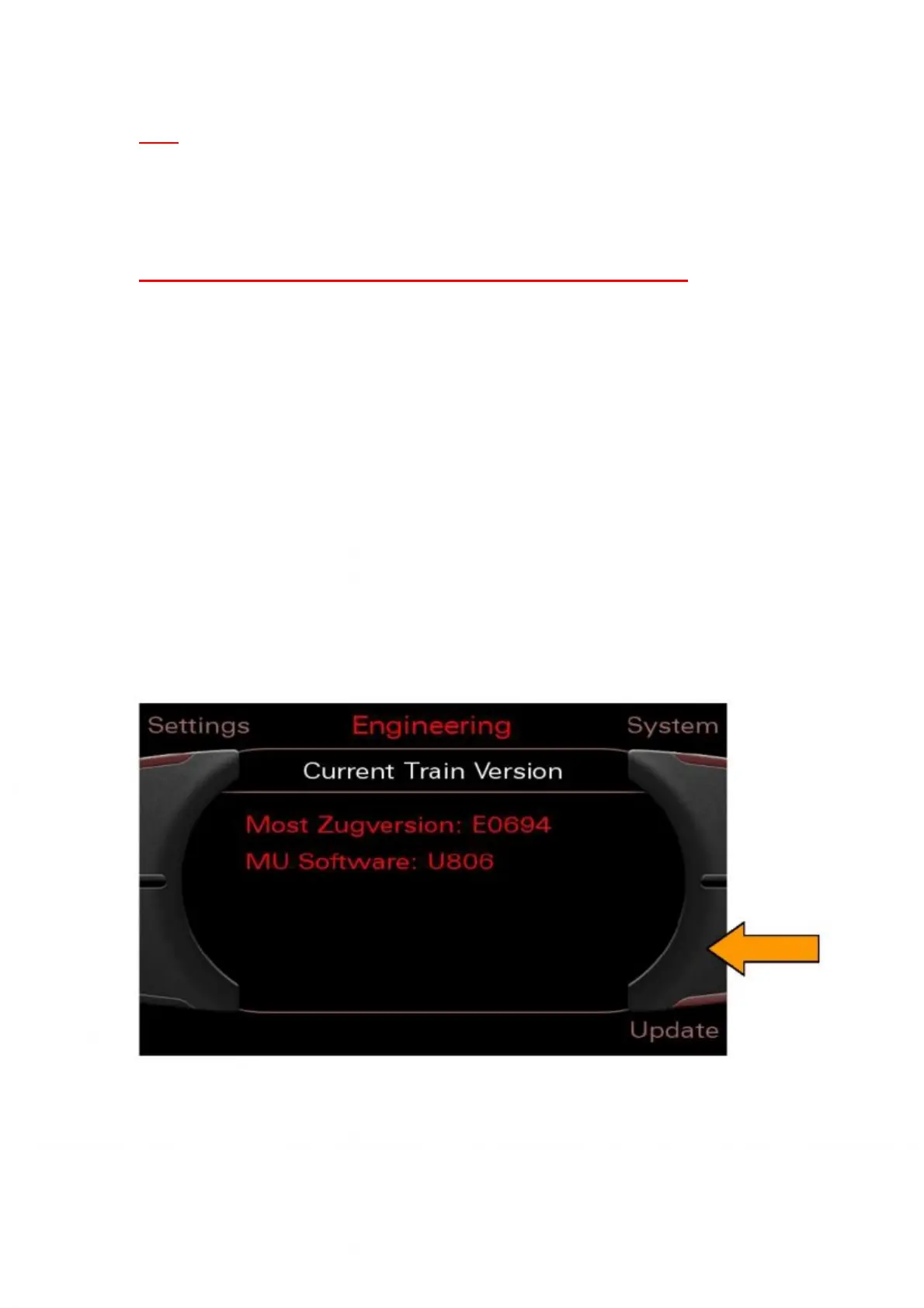
6. Activate the SW update by pressing the bottom right control button.
Figure 1: Selecting the SW update using the bottom right control button



 To Next Page