3
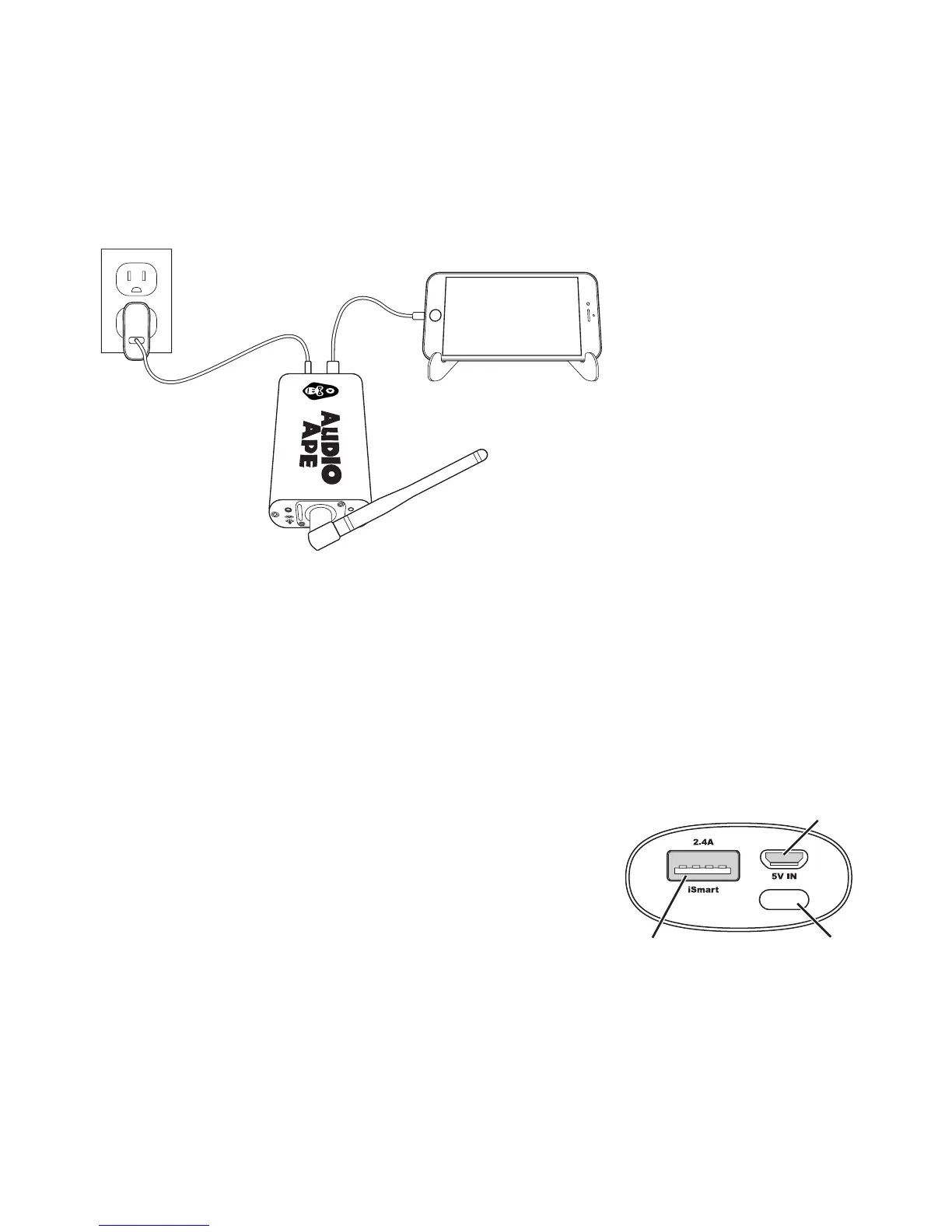
Using your own certied Apple 30-pin or lightning cable, plug that lightning
or 30-pin end into your Apple device. Now plug the remaining USB end into
the Audio Ape’s receiver port labeled “Apple Device”.
For optimal range keep your Audio Ape receiver a few feet away from any power
amps, computers, wireless mics, or electrical lines as they will emit interference
and reduce the range.
Battery
Charging
Power Out
To Receiver
Power
Button
NOTE: If you purchased our optional battery
bank simply plug that into the receiver’s power
port instead of the power adapter. Once the
battery is plugged into the receiver, push the
small button on the front of the battery bank
tobegin sending power to your Audio Ape system.



 To Next Page