EasyManua.ls Logo

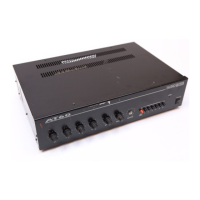
AUDIO TELEX AT - Congratulations on Purchasing an at Series Mixer Amplifier; Setting up; Panel Controls; Bass Control

AUDIO TELEX AT
5 pages
Print Icon
To Next Page IconTo Next Page
To Previous Page IconTo Previous Page
Loading...
ERATING
INSTRUCTIONS
IT SERIES
AMPLIFIERS
AT SERM,S
MIXER
AMPLIFIERS
Congrafulations
on
purchasing
an
AT
Seris;
Mixer
Amplifier.
As yort
are
no doubt
arvare.
MAINS
POWER
MUST
BE
DISCONNECTED
BEFORE
REMOVING
THE
LID OR
MAKING
ANY
INTERNAL
ADJUSTMENT
TO
THE
AMPLIFIER
The
AT Mixer
Ailrplitiers
are self
standing
with
rubber
feet. They
may be
stackerl
to
a
maximun
ol
tour sxj1'
high.
An IEC type
nnins cord an4
receptacle
is
provided, the
receptacle
also
houses the
mains
f-use in
a drawer,
which
pulL oftrl trr
e\pose
the fuse.
SETTING
UP
oooo
o,o,
;.
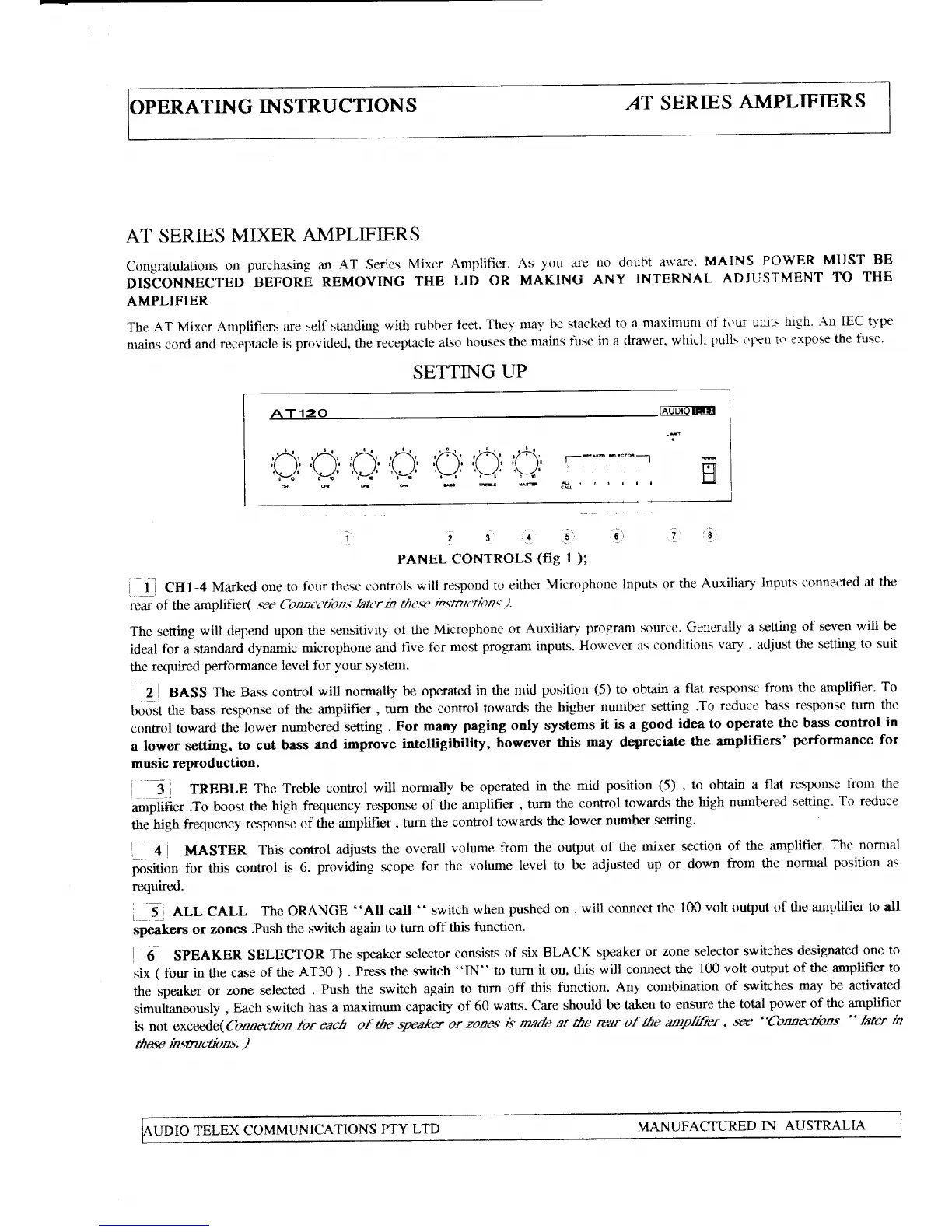
PANEL CONTROLS
(fig
l
);
i
_1
1 CUt-+
Marked one to
four tlrese i:ontrols
will respontl
to
either
Microphone
lnptrls or
the
Auxiliary
InpuLs conne.cted
at the
rcar
of
the amplifier(
.ctc Connedion.;
lalcr n
the-se
n.cmtc'tion'c ).
The setting
will
depend
upon the
sensitivify
of the
Microphone
or
Auxilian'
progrim
source.
Generally
a setting
of seven
will be
ideal
for
a standard
dynamic
microphone
and
five lbr
most
program inputs.
However
as conditions
vary
,
adjust
the setting
to suit
the
required
perfbrmance
levcl tbr
your
system.
i t BASS
The Bass control
will
normally be
operated
in
the
mid
position
(5)
to obtain
a
flat response
from the amplifier'
To
booit
the bass
response of the
anrplifier
,
turn
the conEol
towards
the
higher
number setting
.To
reduce bass
response turn the
confiol
toward
the
lowcr
numberrd
setting
.
For many
paging
only
systems
it
is
a
good
idea
to
operate
the bass
control
in
a
lower setting,
to cut
bass and
improve
intelligibility,
however
rhis
may depreciate
the
amplifiers'
performance for
music
reproduction.
i
-
j
I
TREBLE
The Trcble
control
will
normally
be operated
in
the
mid
position
(5)
,
to obtain
a
flat response
from the
o*ptiti".
.To
boost
the
high
frequency
respor$e
of the
amplifier
,
turn
the
control towards
the
high nrrmbered
setting.
To reduce
tSehigh
fraluency
response
of the amplifier
,
nrn
the
control
towards
the
lower
mrmbff
setting.
-11
position
required.
i
-
erl CALL
The ORANGE
"AU
call "
switch
when
pusherl on
,
will conncct
the
100
volt output of
the aniplifier
to all
speakers
or
zones
.Push the
switch again
to tum
off this
function.
|
6
SpEAKER
SELECTOR
The speaker
selector
consists
of
six
BLACK
speaker
or
zone selector
switches
designated
one to
ii*-i
rout
in
the
case
of the
AT30
)
.
press
the switch
"IN"
to
turn
it on, this
will connect
the
100 volt output
of the amplifier
to
the
speaker
or
21)ne selected
.
push
the
switch
again
to turn
off
this
function.
Any
conbination
of switches
may be
activated
simultaneously
,
Each switch
has a
maximum capacity
of
60
watts.
Care
should
be taken
to ensure
the total
power
of
the amplifier
is
not exceed
e(Connection
for each of
fue
gnaker
or
zon6
ts' made at
the
rea.r of the
amphlier
,
'w
"Connrctnns
"
later m
furc
msauctrorc.
)
7
18
MASTER
This control
adjusts
the
overall
volurne
from the output
of
the
mixer section
of
the amplitier.
The normal
for
this
control
is 6,
providing
scope
for the
volume
level to
be adjusted
up or
down
from
the
normal
positron
as

Related product manuals