9
CHAPTER 2
Installation
Configuration Pre-check
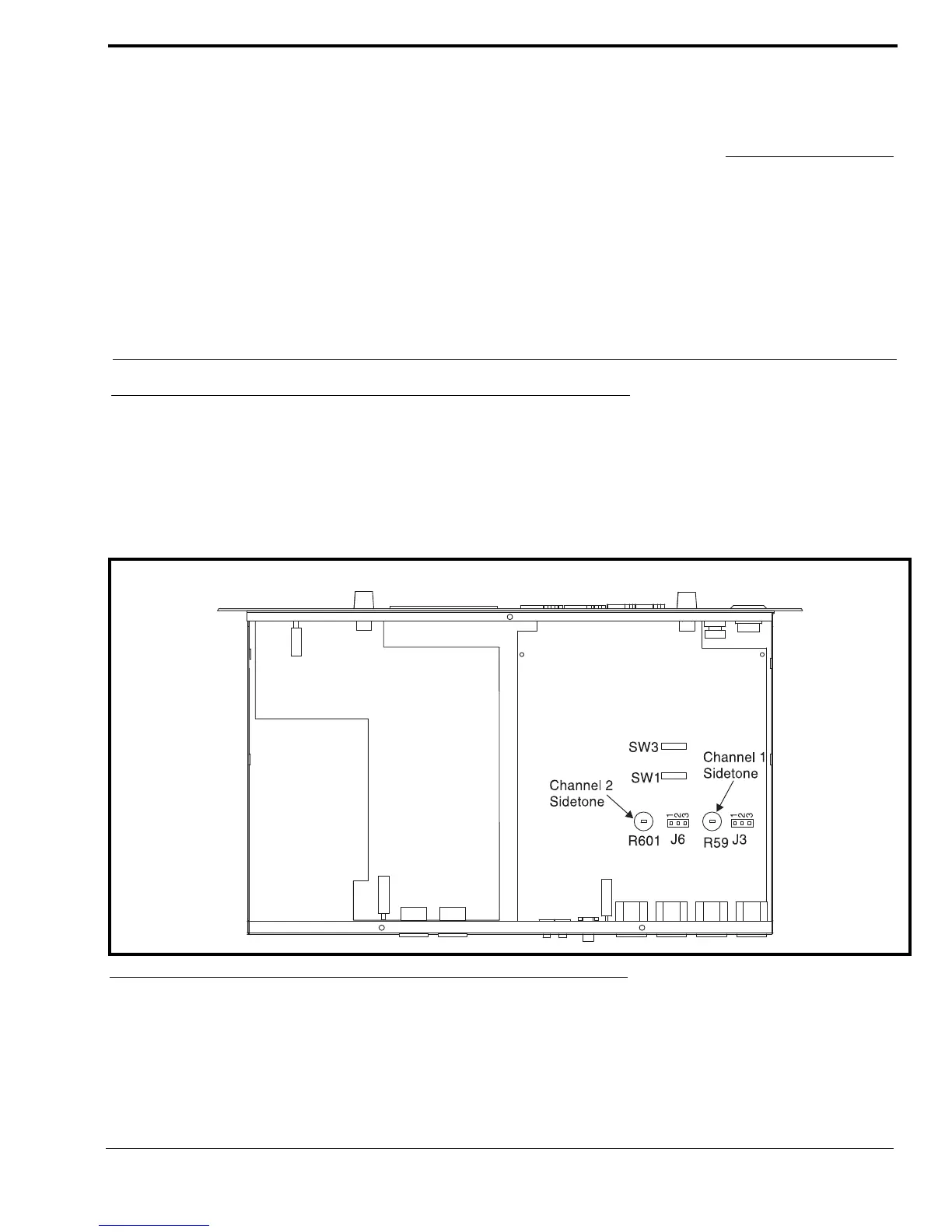
Before connecting the MS-2002 make sure it is properly configured for you intended usage. The locations of the configuration
switches are shown in Figure 2.
To access internal switches, do the following:
> Remove three (3) screws from the top cover and three (3) screws from the bottom portion of each side.
FIGURE 2. Configuration Jumpers and Switches Location


 To Next Page