Need help?
Do you have a question about the AudioQuest PowerQuest 707 and is the answer not in the manual?
Read and observe all safety and operating instructions before use. Keep away from moisture and avoid excessive humidity.
Servicing must be performed by AudioQuest. Use factory-approved packaging for returns to prevent damage.
Connect to an adequate 220-240V single phase nominal voltage, 10 amps (RMS or greater) power source with safety ground.
Place on a stable surface or rack-mount using included ears. Placement near other components is not critical.
Keep AC cables at least 3 inches from signal cables, crossing at 90 degrees if proximity is unavoidable.
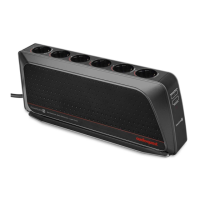
Three outlets designed for power amplifiers, enhancing performance with a low-impedance transient current reservoir.
Four outlets optimized for line-level components, providing robust noise dissipation for sensitive circuits.
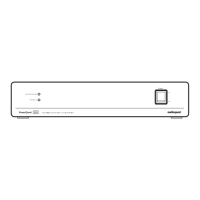
Energize the unit by pressing the rocker switch. A green LED indicates operational status.
Explains reactive current draw. The unit runs cool and does not draw excessive power in normal operation.
A red indicator signals extreme voltage shutdown (>270VAC). The circuit automatically resets when voltage is safe.
Benefits from continuous use; performance improves gradually over two weeks. Designed for long-term continuous operation.
Details on surge suppression, voltage shutdown, filtering, outlets, power consumption, dimensions, and weight.
Specifications for the included 2m power cable, including conductor type, impedance, and noise-minimizing technologies.
Check rocker switch, AC cord insertion, wall outlet function, and component connections for power issues.
Indicates >270VAC or a mis-calibrated circuit. Verify outlet voltage or wiring faults.
May indicate exceeding maximum current capacity. Consider additional units or dedicated circuits for high-draw components.
 General
| Brand | AudioQuest |
|---|---|
| Model | PowerQuest 707 |
| Category | AC Power Distribution |
| Language | English |

 To Next Page