- 5 -
LOCATION OF CONTROLS
1
2
3
4
5
6
7
8
10
11
12
13
14
15
16
17
18
19
20
21
22
9
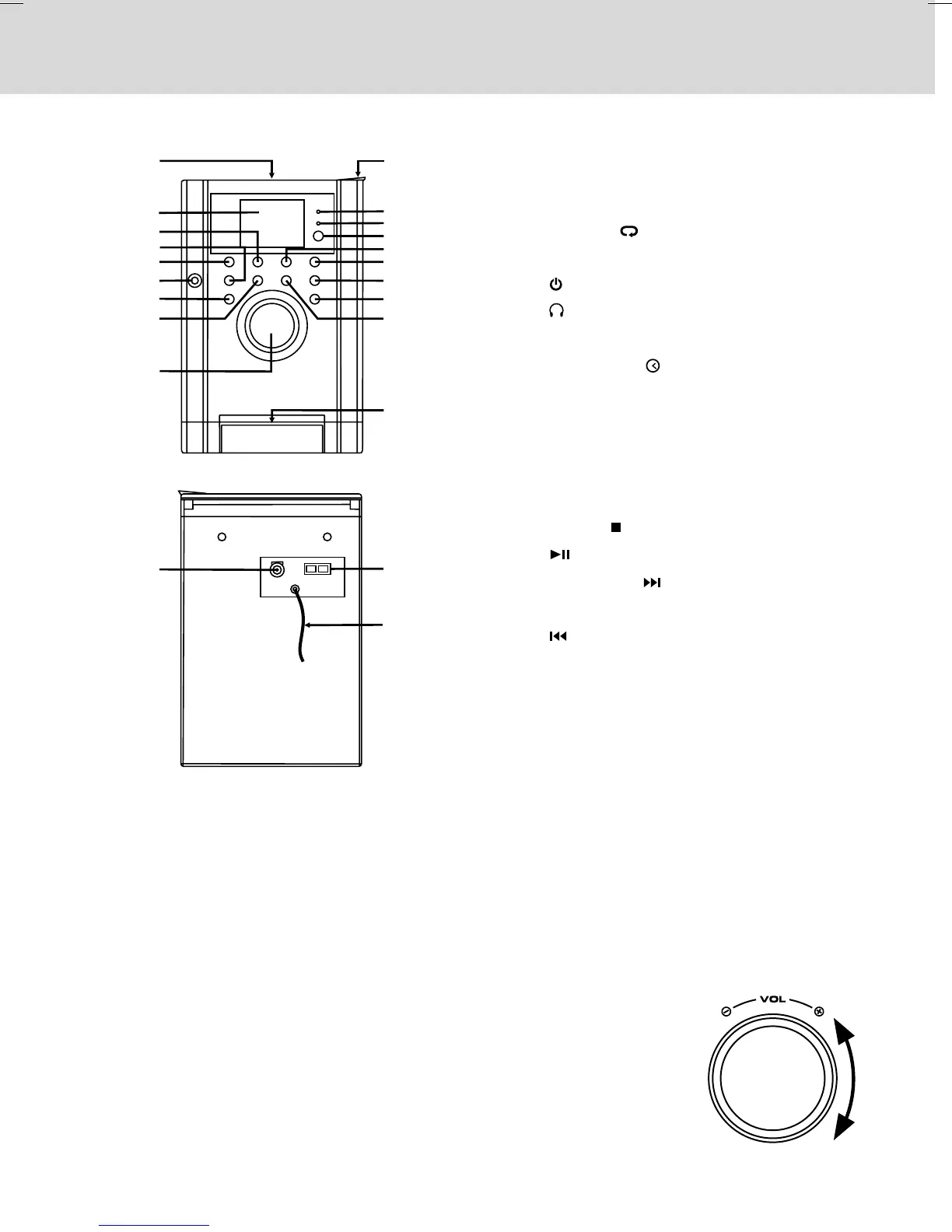
1. CD Door
2. LCD Display
3. MEM.UP/ Button
4. FUNCTION Button
5. STANDBY/ON Button
6. Earphone Jack
7. DISPLAY Button
8. PROG/MEM/ Button
9. VOLUME Control (- / +)
10. OPEN Knob
11. STANDBY Indicator
12. TIMER Indicator
13. Remote Sensor
14. BAND / STOP Button
15. PLAY/PAUSE Button
16. TUNING + / Button
17. SLEEP Button
18. / TUNING - Button
19. iPod Docking
20. DC IN 12V Jack
21. Right & Left Speaker Terminals
22. FM Antenna
To Adjust the Volume
Adjust the VOLUME levels to obtain the desired volume.
For Personal Listening
Connect headphones (Ø3.5mm stereo mini plug) to the PHONES jack. Adjust
the VOLUME levels to obtain the desired volume.
When headphones are connected, the speakers are automatically
disconnected.
VOLUME ADJUSTMENT
Unit



 To Next Page