- 10 -
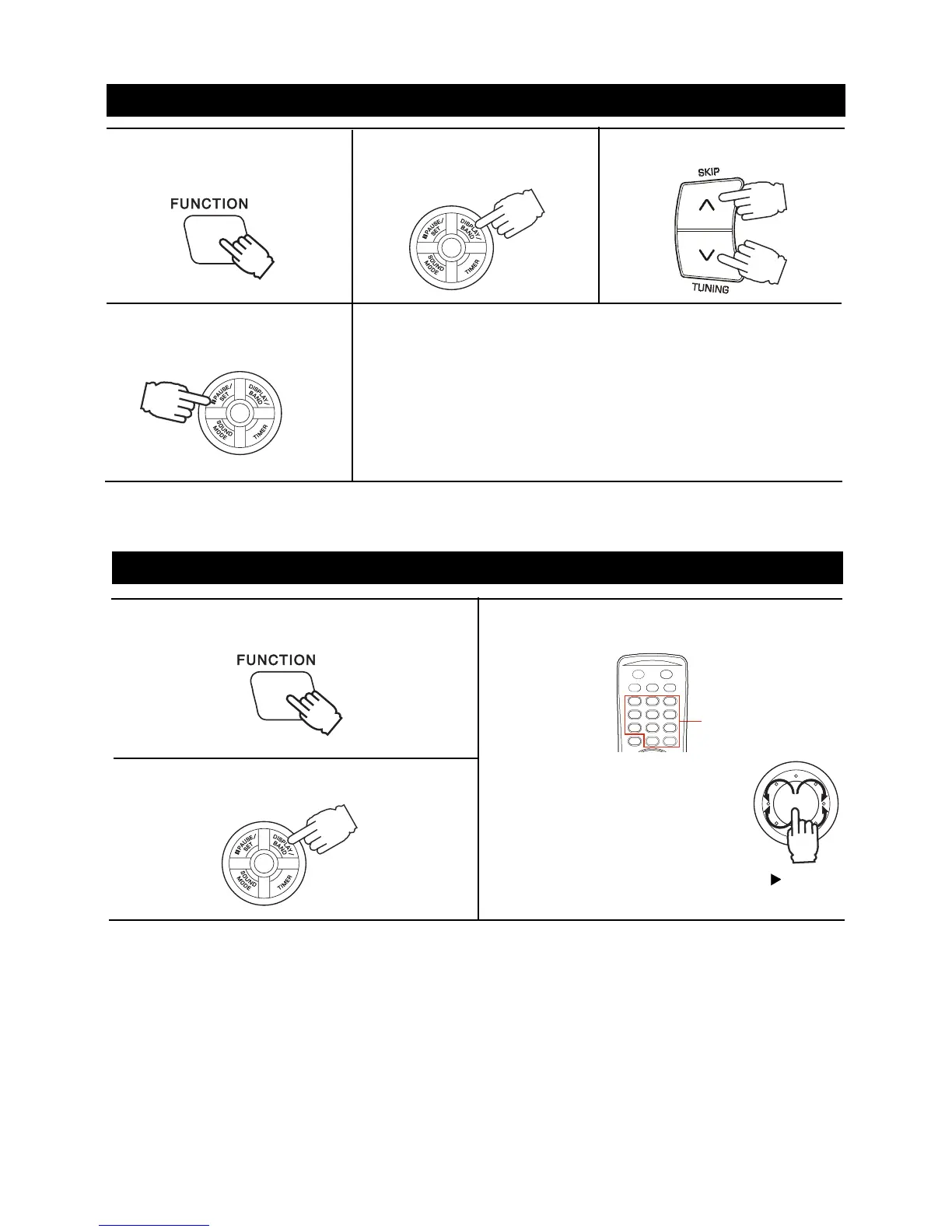
PRESETTING STATIONS
1.Press the FUNCTION button to
TUNER.
2.Press the DISPLAY/BAND
button to select a band.
3.Tune into a station.
4.Press the PAUSE/SET button to
store the station.
5.Repeat steps 2-4 to set other preset station.
Notes:
When the total memory of current band is full and try to store the
current station into memory, the message MEM FULL will display
for a few second.
When the station in the preset memory, it can not store that station
again.
TUNING INTO A PRESET STATION
1.Press the FUNCTION button to TUNER.
2.Press the DISPLAY/BAND button to select a band.
3.Press the numbered buttons on the remote control
to select a preset number.
Example:
To select preset number 15, press the
+10 and 5 buttons.
To select preset number 10, press the
+10 and 0 buttons.
or
The contents (preset channel number, frequency and frequency band) which have been stored in memory
will appear on the display in numerical order, irrespective of the frequency bands.
Turn the JOG-DIAL switch or press PLAY button
until you find the memorized station.
NUMBERED
BUTTONS



 To Next Page