- 15 -
COMPACT DISC OPERATION
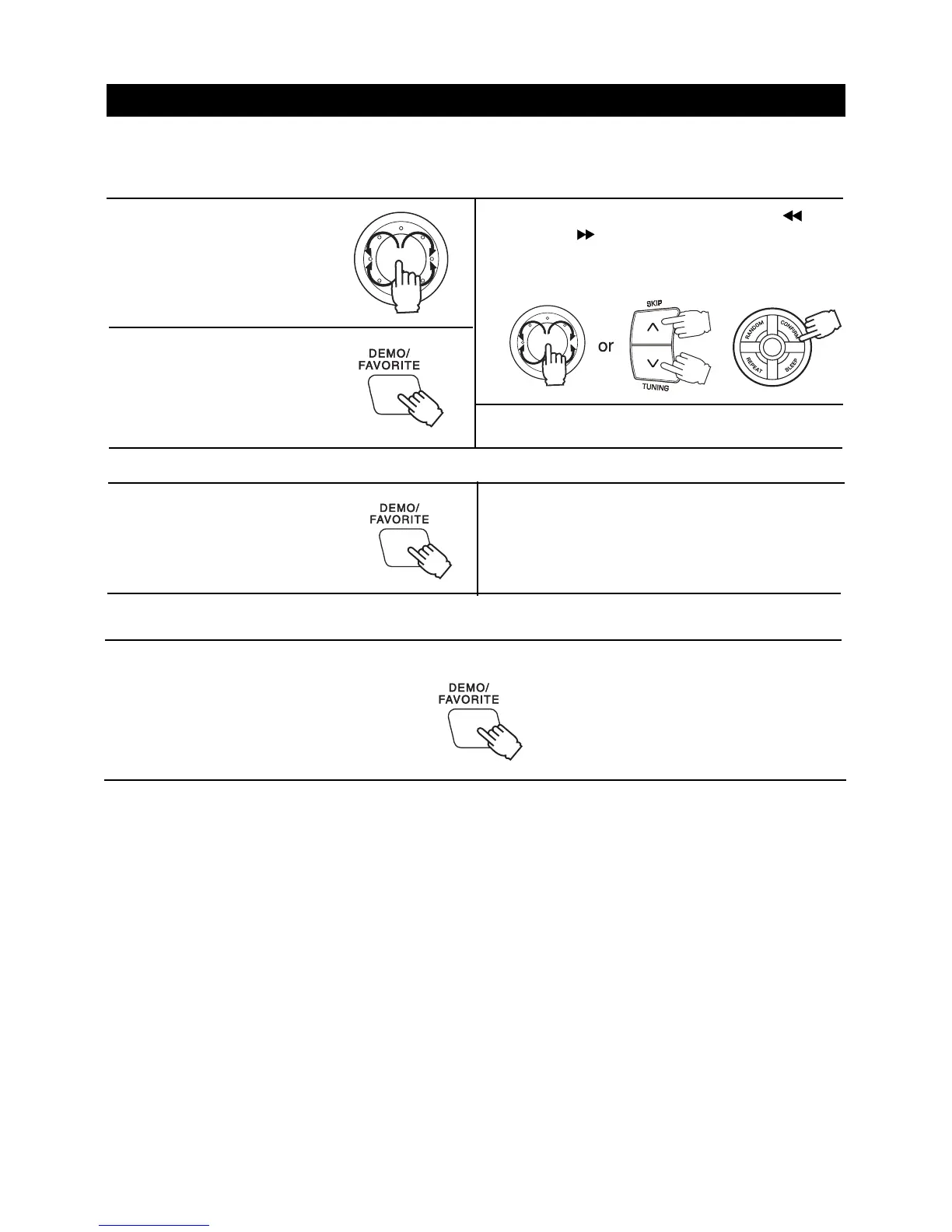
FAVORITE store
Notes
You can not use the FAVORITE play if it does not set the Favorite store.
The favorite store up to 9 tracks can be played in preset order.
The favorite store can not store same track.
To cancel favorite function
Press the CD OPEN/CLOSE button and press it again. FAVORITE disappears on the display window.
4.Repeat steps 1 to 3 to enter other tracks.
FAVORITE FUNCTION
It can store into favorite song and playback these song.
1.In stop mode, turn the JOG-
DIAL switch to select a track
into favorite song.
2.Press the DEMO/FAVORITE
button.
3.Turn the JOG-DIAL switch or press the SKIP/
TUNING buttons to select FAV. STORE and
then press the CONFIRM button. FAVORITE
appears on the display window.
or
or
2.Repeat steps 1 to enter other tracks.
1.In playback mode, the
DEMO/FAVORITE button to
select a track into favorite
song. FAVORITE appears
on the display window.
Favorite play
In stop mode, press the DEMO/FAVORITE button to playback the favorite song.



 To Next Page