- 16 -
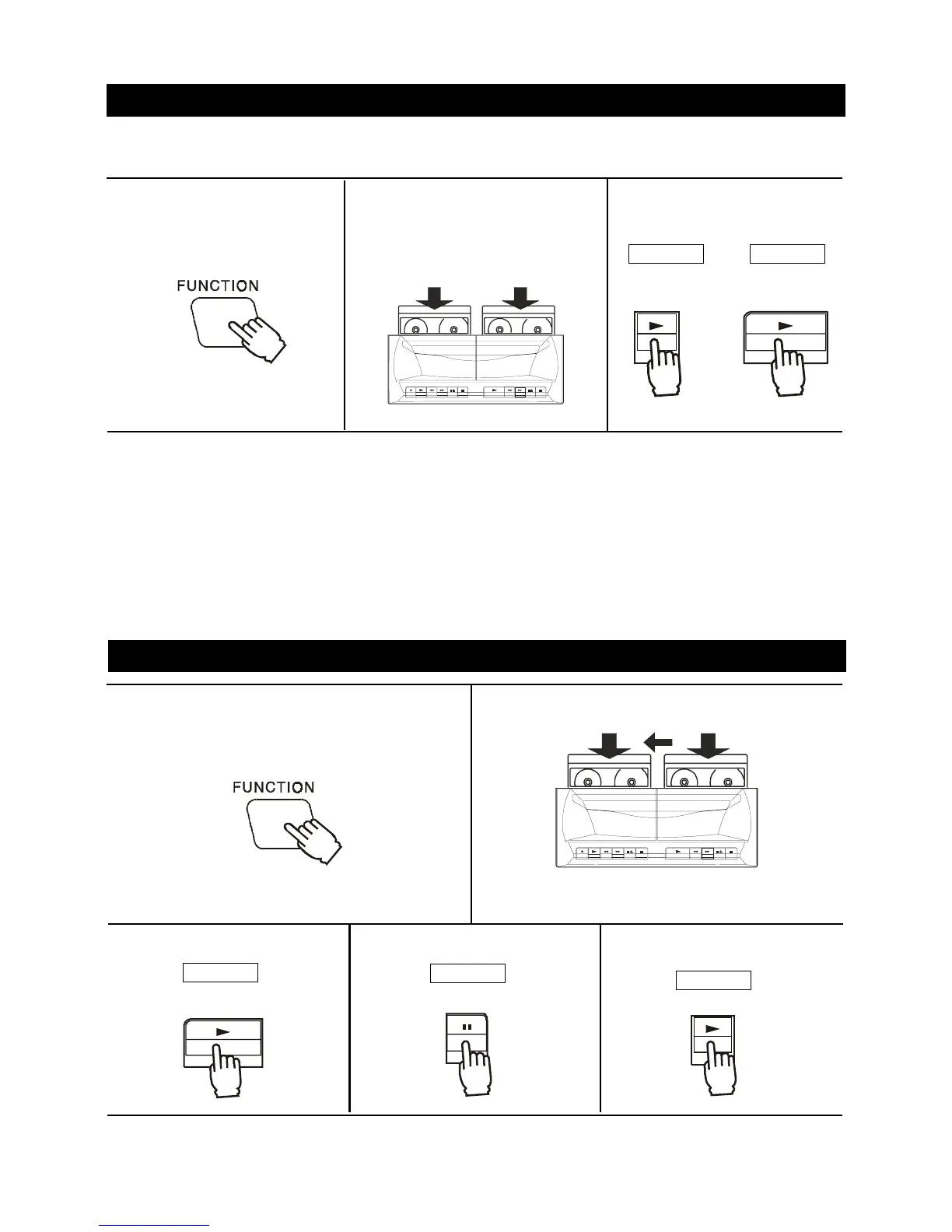
1. Press the FUNCTION button to
TAPE.
2. Press the STOP/EJECT button and
load a cassette into the cassette
compartment of Deck A or Deck B.
4. Press the PAUSE button.
2. Insert a cassette in each deck.
When the tape reaches its end
During fast wind or regular play, the tape will stop
automatically when its end is reached.
When both Deck A and Deck B are in the
playback mode
Deck B will playback and no sound will come from
Deck A.
CONTINUOUS PLAYBACK ---- FROM DECK B TO DECK A
5. Press the PLAY button.
Played
next
Usable tapes - use only normal (type I) tapes for playback.
You can playback only the front sides of the tapes in Decks A and B.
TAPE PLAYBACK
To stop playback
Press the STOP/EJECT button.
To interrupt playback
Press the PAUSE button.
To resume play, press the PAUSE button again.
To fast wind or Rewind
Press the REWIND or F.FWD button. Press the STOP/
EJECT button to stop winding at the desired position.
1. Press the FUNCTION button to TAPE.
3. Press the PLAY button.
As soon as the tape in Deck B reaches its end and stops, the pause mode for Deck A is released and playback
starts automatically.
3. Press the PLAY button to begin
playback.
Played
first
DECK A
DECK B
DECK A
DECK A
DECK B
BLANK TAPE
DECK A DECK B
PRERECORDED
TAPE
DECK A
DECK B
PLAYPLAY
OR
PLAY
PAU SE
PLAY



 To Next Page