43
PD-200
6 Remote Control Buttons
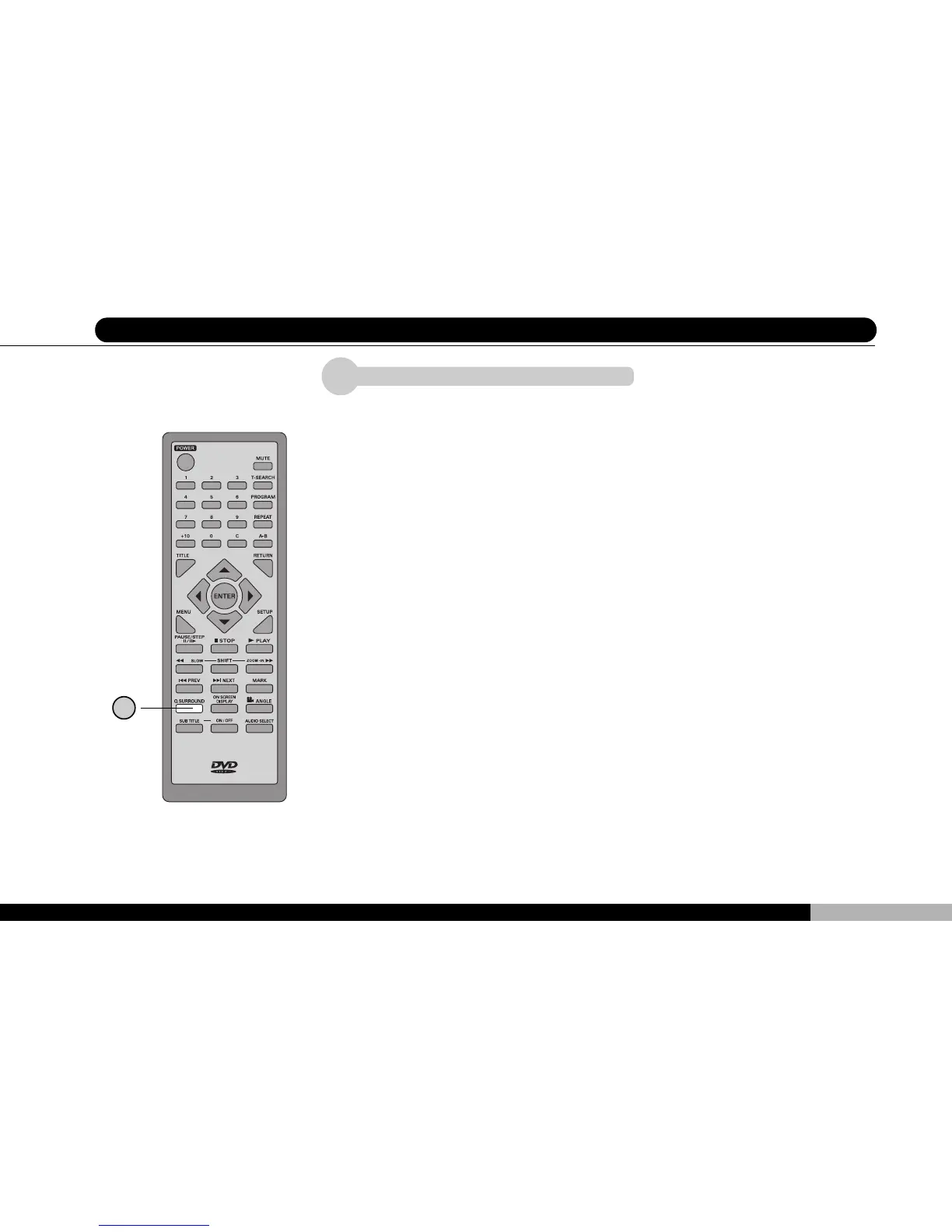
Q SURROUND Key
You can obtain a 3-dimensioal, spacial sound effect by using the virtual surround
simulator (Q Surround) employed in this player, when external speakers are con-
nected to the player, you can enjoy full surround sound at home. The Q SUR-
ROUND function will take effect on DVDs, SVCDs and music CDs.
When the Q SURROUND key is pressed, a single-line message will shown on
the external monitor indicates whether the Q SURROUND function is carried
out. Continually press this key will toggle Q SURROUND effect on and off. You
can also activate / deactivate the Q SURROUND function within the overhead
icon when you pressed AUDIO SELECT or ON SCREEN DISPLAY keys. Please
see corresponding sections for more control details.
* Please note the Q SURROUND function will not take effect on DTS encoded
discs.
1
1



 To Next Page