EasyManua.ls Logo

Audiovox DS9343TPK - User Manual

Audiovox DS9343TPK
32 pages
Print Icon
To Next Page IconTo Next Page
Loading...
USBUSB
CERTIFIED
WIDE
SCREEN
SDIMS
MMC
CARD
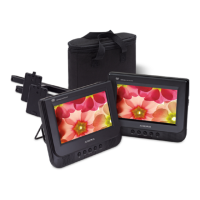
DS9343TPK
Portable DVD Player
Owner’s Manual

Questions and Answers

  • G
    Gloria DixonAug 9, 2025
    What to do if my Audiovox DS9343TPK has no power?
    • J
      Jessica FosterAug 9, 2025
      If your device has no power, ensure the adapter is securely connected to both the DC input jack on the unit and the AC outlet (or the vehicle's DC accessory socket). Also, make sure that the unit is turned on.
  • M
    maryshermanAug 13, 2025
    Why is there no sound on my Audiovox DS9343TPK?
    • D
      Darlene LeAug 13, 2025
      There might be several reasons for the lack of sound. First, check if the volume is set to the lowest level and turn it up. Also, verify that the sound isn't switched off by pressing the MUTE button. If you're fast forwarding or rewinding, press PLAY to resume normal playback. Finally, if headphones are plugged in, unplug them to hear sound through the built-in speakers.
  • V
    Vanessa ScottAug 19, 2025
    Why is my Audiovox DS9343TPK Portable DVD Player remote control not working?
    • L
      Luis MartinezAug 19, 2025
      If the remote control isn't working, check the following: 1. Ensure a CR2025 lithium battery is installed. 2. If a battery is already installed, replace it with a new one. 3. Make sure the remote is pointed directly at the remote sensor and is within its operating range. 4. If the unit is shut down, switch it off, disconnect it from the AC outlet, and then power it on again.
  • Q
    qrichardAug 25, 2025
    What to do if my Audiovox DS9343TPK Portable DVD Player won't play a disc?
    • Q
      qlyonsAug 25, 2025
      If the device is unable to play a disc, ensure that the disc is placed in the disc tray with the label side facing upwards. If the issue persists, try cleaning the disc.
  • P
    Philip JohnsonAug 28, 2025
    How to fix no picture on my Audiovox DS9343TPK connected to TV?
    • M
      Miss Lorraine Coleman PhDAug 28, 2025
      If there is no picture on the connected TV, check that the TV is securely connected to this unit with the AV cable, plugging it into the AV OUT jack of the unit and the AV IN jack of the TV.
  • N
    Nicole LewisSep 2, 2025
    What to do if Audiovox DS9343TPK Portable DVD Player breaks down after inserting USB drive?
    • K
      Kenneth FuentesSep 3, 2025
      If the player breaks down after inserting a USB drive or memory card, it's likely that the connected USB drive or memory card is not certified. Uncertified USB drives and memory cards may cause the player to malfunction. If this happens, turn the player off, disconnect the power cord from the AC outlet, and unplug the USB drive or memory card. Then, power the player on again to resume normal operation.

Audiovox DS9343TPK Specifications

General IconGeneral
Compatible DISCDVD/VCD/CD/MP3
Signal systemPAL/NTSC
LaserSemiconductor laser, Wave length: 650 nm/795nm
Panel size9 inch
Frequency response20Hz to 20KHz
Audio output1.2 V ( 0.2V) RMS/10 kOhm
Video output1 Vp-p 75 Ohm unbalanced
Dynamic range≄85dB
Power sourceDC 9-12V
Power consumption10W
Operating temperature0~35 C
Battery TypeLi Polymer

Related product manuals