
EasyManua.ls Logo

Audiovox D7121ESK - User Manual

Audiovox D7121ESK
32 pages
Print Icon
To Next Page IconTo Next Page
Loading...
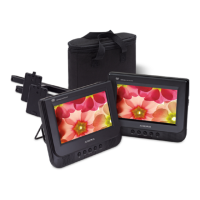
D7121ESK
Portable DVD Player
With Two 7” Monitors
Owners Manual
W
I
D
E
SCREEN

Questions and Answers

  • R
    rochatimothyAug 10, 2025
    What to do if my Audiovox D7121ESK Portable DVD Player has no power?
    • S
      Sarah AllenAug 10, 2025
      If your Audiovox Portable DVD Player has no power, there are a couple of things to check: * Ensure the adapter is securely connected to both the DC input jack on the unit and the power outlet (either AC or the vehicle's DC accessory socket). * Verify that the unit is turned on.
  • C
    Carol SaundersAug 16, 2025
    Why is there no sound on my Audiovox D7121ESK Portable DVD Player?
    • M
      michael24Aug 16, 2025
      If there is no sound on your Audiovox Portable DVD Player, try the following: * Increase the volume level. * Ensure the sound isn't muted by pressing the MUTE button. * If the disc is in fast forward or reverse, press PLAY to resume normal playback. * If headphones are plugged in, remove them to output sound through the built-in speakers.
  • N
    Nicholas CampbellAug 21, 2025
    Why is my Audiovox Portable DVD Player remote control not working?
    • K
      kingsonyaAug 21, 2025
      If the remote control for your Audiovox Portable DVD Player isn't working, consider these possible solutions: * Install a CR2025 lithium battery or replace the old battery with a new one. * Ensure you're pointing the remote control directly at the remote sensor on the unit. * Make sure you're within the operating area of the remote control. * Try switching off the unit, disconnecting it from the AC outlet, and then powering it on again.
  • N
    Nicholas AdamsAug 28, 2025
    What to do if my Audiovox Portable DVD Player won't play a disc?
    • J
      Joshua OliverAug 28, 2025
      If your Audiovox Portable DVD Player is unable to play a disc: * Make sure the disc is placed in the disc tray with the label side facing upwards. * Ensure the disc is compatible with the unit. * Clean the disc.
  • D
    Dennis SpenceSep 3, 2025
    What to do if there is no picture on the TV connected to my Audiovox Portable DVD Player?
    • E
      Emily HuynhSep 3, 2025
      If there is no picture displayed on the connected TV, ensure the AV cable is securely connected between the AV OUT jack of the Audiovox unit and the AV IN jack of the TV.

Summary

Warnings and Cautions

Installation and Charging

Controls and Indicators

Main Unit Controls and Indicators

Identification and function of buttons, ports, and indicators on the main unit.

External Unit Controls and Indicators

Identification and function of buttons, ports, and indicators on the external monitor unit.

Remote Control Operation

Remote Control Functionality Part 1

Explains ANGLE, FUNCTION, SETUP, REPEAT, TITLE, PREVIOUS, FAST REWIND buttons.

Remote Control Functionality Part 2

Explains SUBTITLE, PLAY, DIGIT KEYS, GOTO, MUTE, AUDIO buttons.

Remote Control Functionality Part 3

Details A-B REPEAT, MENU, FAST FORWARD, ENTER, STEP functions.

Remote Control Functionality Part 4

Explains NEXT, STOP, PAUSE, ZOOM, OSD, VOL+/- functions.

System Setup and Configuration

Menu Operation and General Setup

How to navigate setup menus and configure general display options.

Technical Specifications and Troubleshooting

Troubleshooting Common Issues

Solutions for common problems like power, picture, sound, and remote control malfunctions.

Audiovox D7121ESK Specifications

General IconGeneral
Screen Size7 inches
Resolution480 x 234 pixels
Aspect Ratio16:9
Battery Life2.5 hours
Supported FormatsDVD, CD, MP3, JPEG
Audio Playback FormatsMP3
OutputsHeadphone jack, AV output
Power SourceAC adapter, Rechargeable battery
Disc Playback FormatsDVD, CD
InputsAV input

Related product manuals







