60
PD-200
8
01 01 202001 ON
5.1CH
01
101
FR OFF 1
ON 1ON 4325
8
ANGLE Symbol
This field displays the current angle selected.
Press the
or keys on the player or remote con-
trol to go to this field, then press
or to make
a selection. Press ENTER to confirm and go to
another selection topic. This function is invalid for
DVDs that do not offer the option of multiple angle
shots.
8 Changing Setting During Play - DVD (Contd.)
5
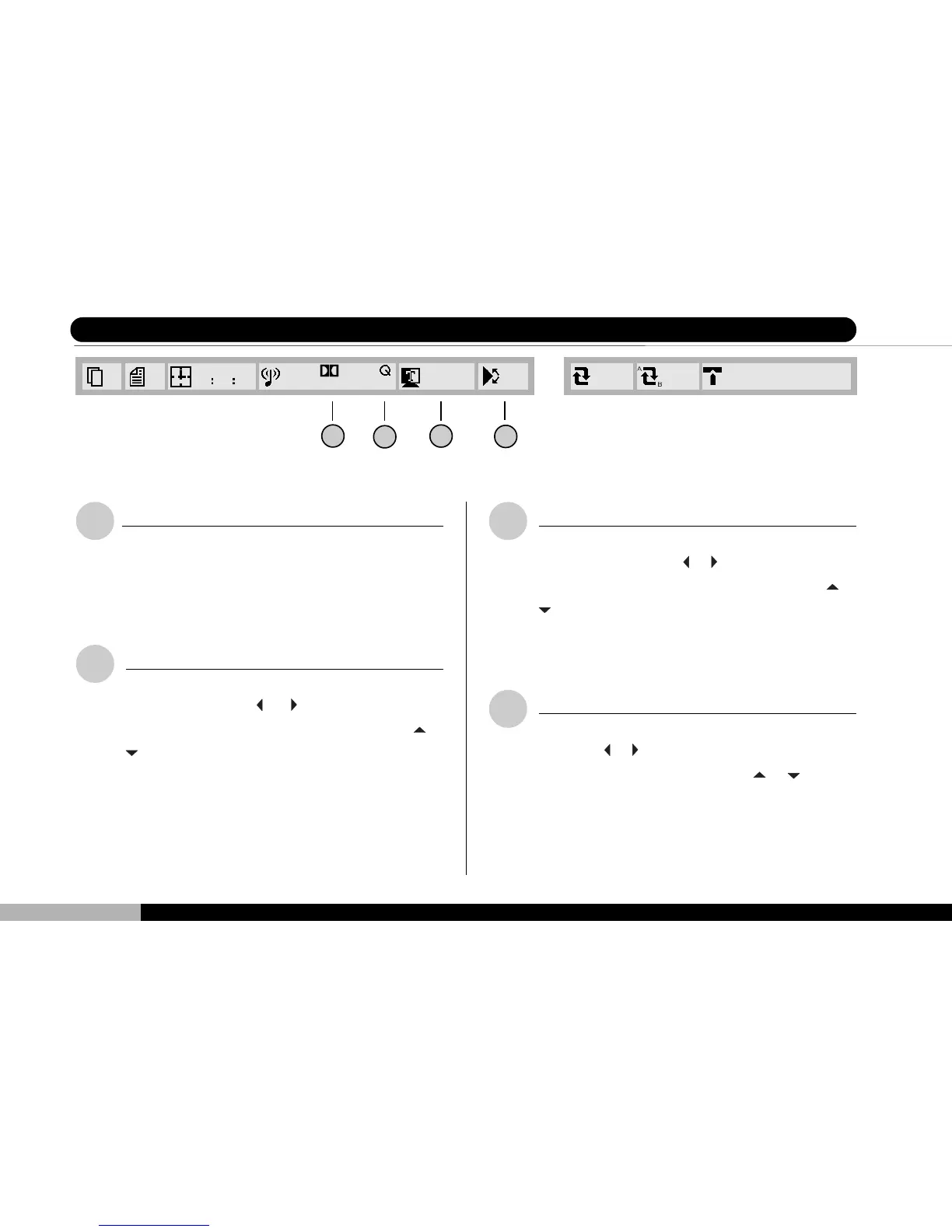
Sound Channel Symbol
This field displays the sound channel selection for
the current DVD play. This field cannot be altered
while DVD is playing.
6
Q SURROUND Symbol
This field displays whether Q Surround is currently
enabled. Press the
or keys on the player or
remote control to go to this field, then press
or
to make a selection. Pressing the Q SUR-
ROUND key on your remote will achieve the same
effect. Press ENTER to confirm and go to another
selection topic.
7
SUBTITLE Symbol
This field displays the current subtitle language
preference. Press the
or keys on the player or
remote control to go to this field, then press
or
to make a new selection for this play. Press
ENTER to confirm and go to another selection
topic. You may also elect to close out the subtitle.
5 6 7



 To Next Page