- 6 -
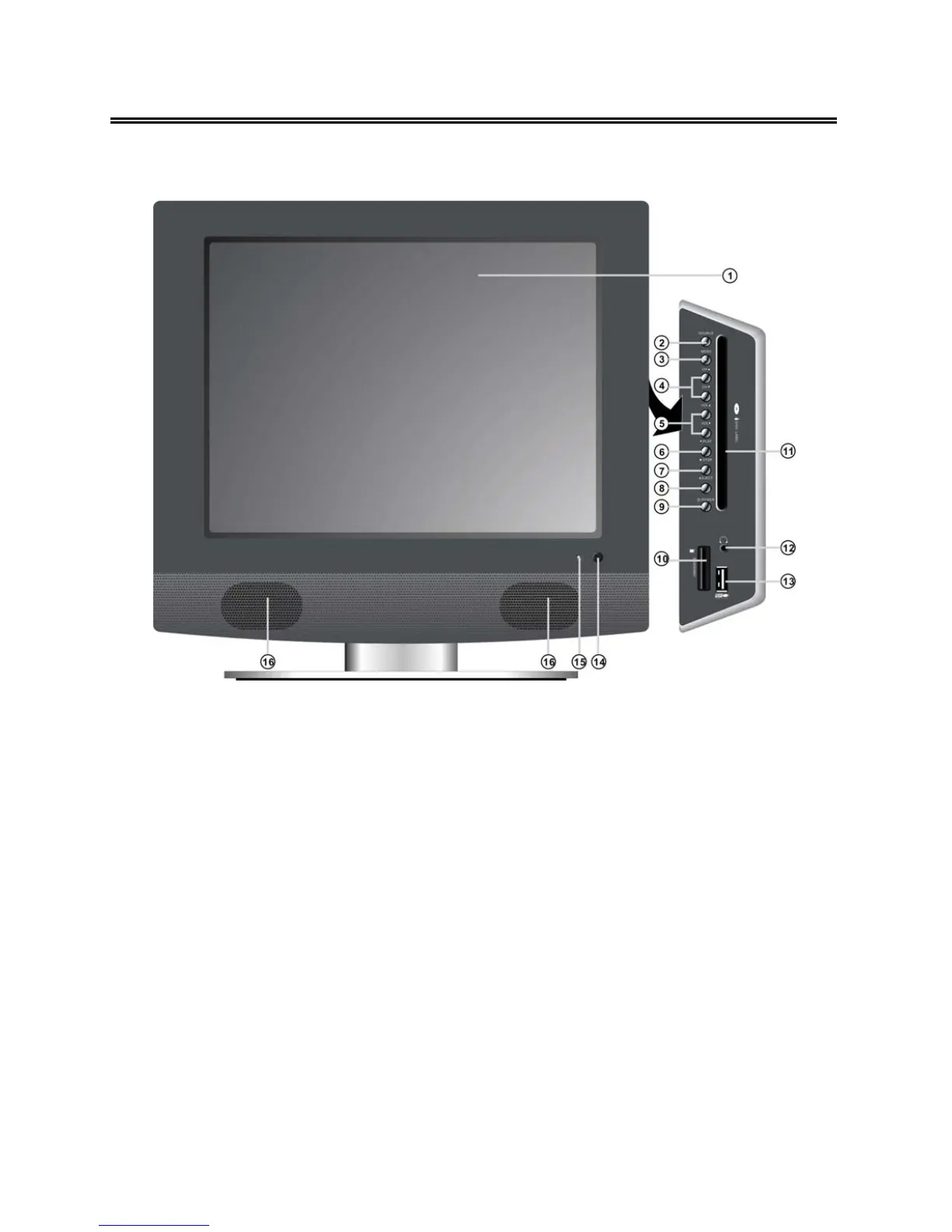
Front Panel
1. 15" color TFT screen
15" color TFT screen clearly show the data.
2. SOURCE button
Press to select the modes: DVD, Component, VGA, TV, CVBS or S-VIDEO.
3. MENU button
Press to enter or exit setup menu.
4. CH
▲/▼ button
In the TV mode, press to select channels.
In setup menu, the same function as
▲/▼ direction buttons.
5. VOL
▲/▼ button
In the TV mode, press to decrease or increase the volume.
In setup menu, the same function as ◄/►direction buttons.
In setup menu, the VOL
▲ has the same function as ENTER button.
6. PLAY button
Press to play the disc in DVD mode.



 To Next Page