40
Vehicle Installation
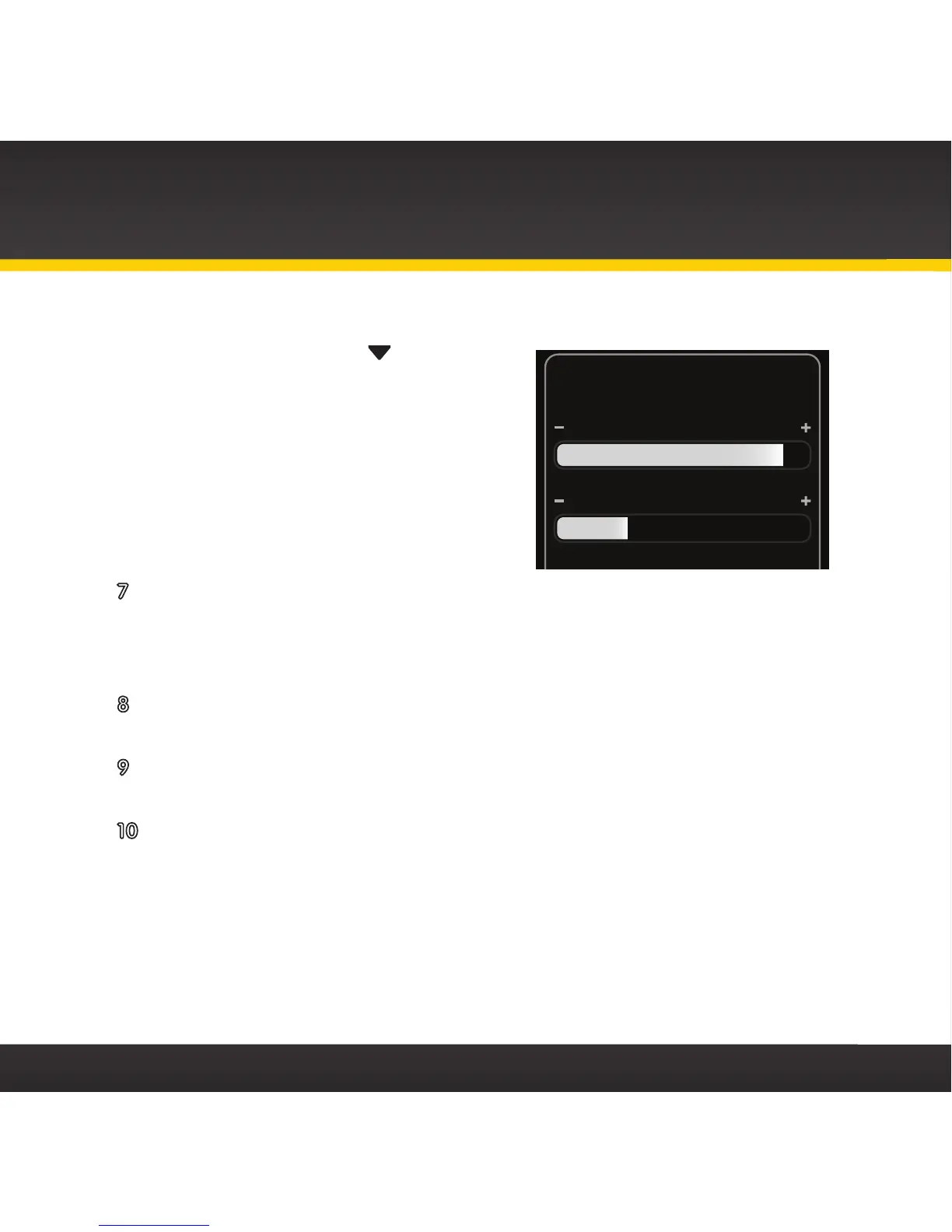
display screen that denotes antenna signal strength. You can also press
menu and then press
to scroll
to and highlight Signal Indicator.
Press the Select button. The
Satellite and Terrestrial bars
show the strength of the signal
being received. If the signal
reception is good, press and hold
menu to return to the main
display screen.
7 Ensure that your radio is tuned to channel 1. Upon power up, the radio
should tune to channel 1 by default, when it’s not yet activated. If it’s
not on channel 1, refer to the User Guide which accompanied your radio
to learn about how to tune a channel.
8 Turn on your vehicle’s stereo system. Set it to play input from the
auxiliary input source.
9 You should hear XM channel 1 through your vehicle’s stereo system.
Now sit back and enjoy Satellite Radio.
10 The audio level output of the radio
can be increased or decreased as
necessary to match the audio levels of other sources in your vehicle.
Refer to the User Guide which accompanied your radio for instructions.
If the signal reception is good, but there is no audio when tuned to channel 1, be
sure the vehicle’s stereo system is set to the correct source, i.e., auxiliary input
source (step 8). Also be sure that the audio level is set high enough to be heard
(step 10). Refer to “Troubleshooting” on page 52 for additional help.
Signal Indicator


 To Next Page