41
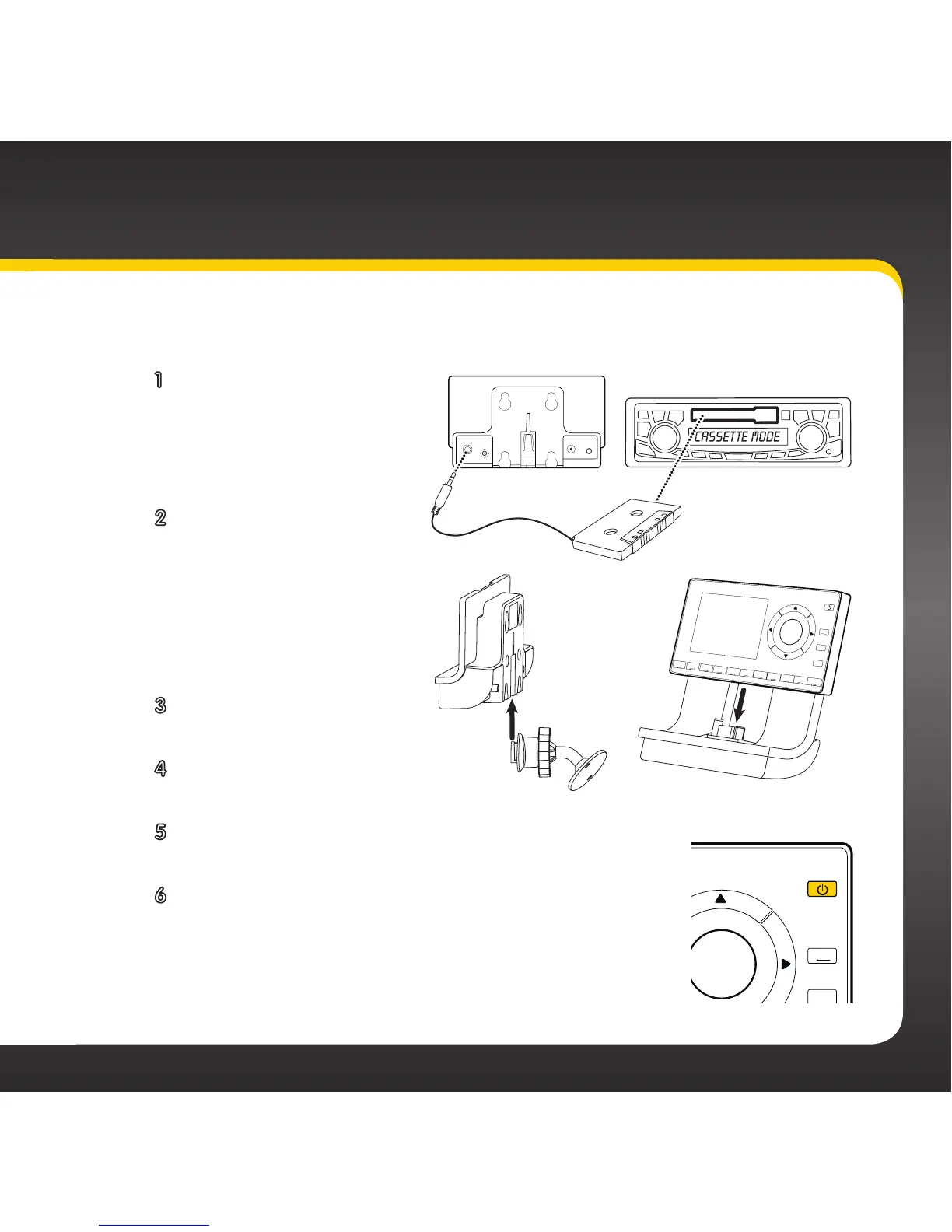
Option 2: Cassette Adapter Installation Instructions
1 Plug the Cassette
Adapter into the
green AUDIO
connector on the
dock.
2 Insert the Cassette
Adapter into the
vehicle’s cassette
deck. You may need to
turn on your vehicle’s
stereo system in order
to do so.
3 Insert the dock into the
mount.
4 Insert your radio into
the dock.
5 Power on your radio by pressing the Power
button.
6 Be sure the vehicle is outside and the antenna
has a clear view of the sky. Verify that you are
receiving the XM signal. There should at least
be one bar on the lower left corner of the main
display screen that denotes antenna signal
2
3
4
5
6
7
8
9
0
direct
jump
FM
menu
1


 To Next Page