LIVE GUITARS on INTRO 3 – ENDING 3
14 KETRON • AUDYA
LIVE GUITARS on ENDING 1 – ENDING 2
You can use the GLOBAL CHANGE control to quickly insert a template on all parts of the Style. on this case the
Style Bank related to Groove, Bass, Piano, Guitars, Arp&Lick will be not assigned to Intros and Endings. Special
controls are provided for Live Guitars on parts and Intro-Ending (see the chapter Live Guitar on Intro 3-End 3).
The GLOBAL CHANGE doesn’t affect the Audio Drums as this is set automatically on all sections.
Saving the Style Edited with Audio Style Modeling
▀
Select the initial “Section Page” and press STYLE SAVE or press the Disk icon on ”Operation...” area (left bottom
of screen view).
Use ”SEND TO AUDYA” to send the style to Audya via USB. The style will be copied into Audya Folder called
USER STYLES (you can choose sub folder destination as Ballad, Pop, etc.).
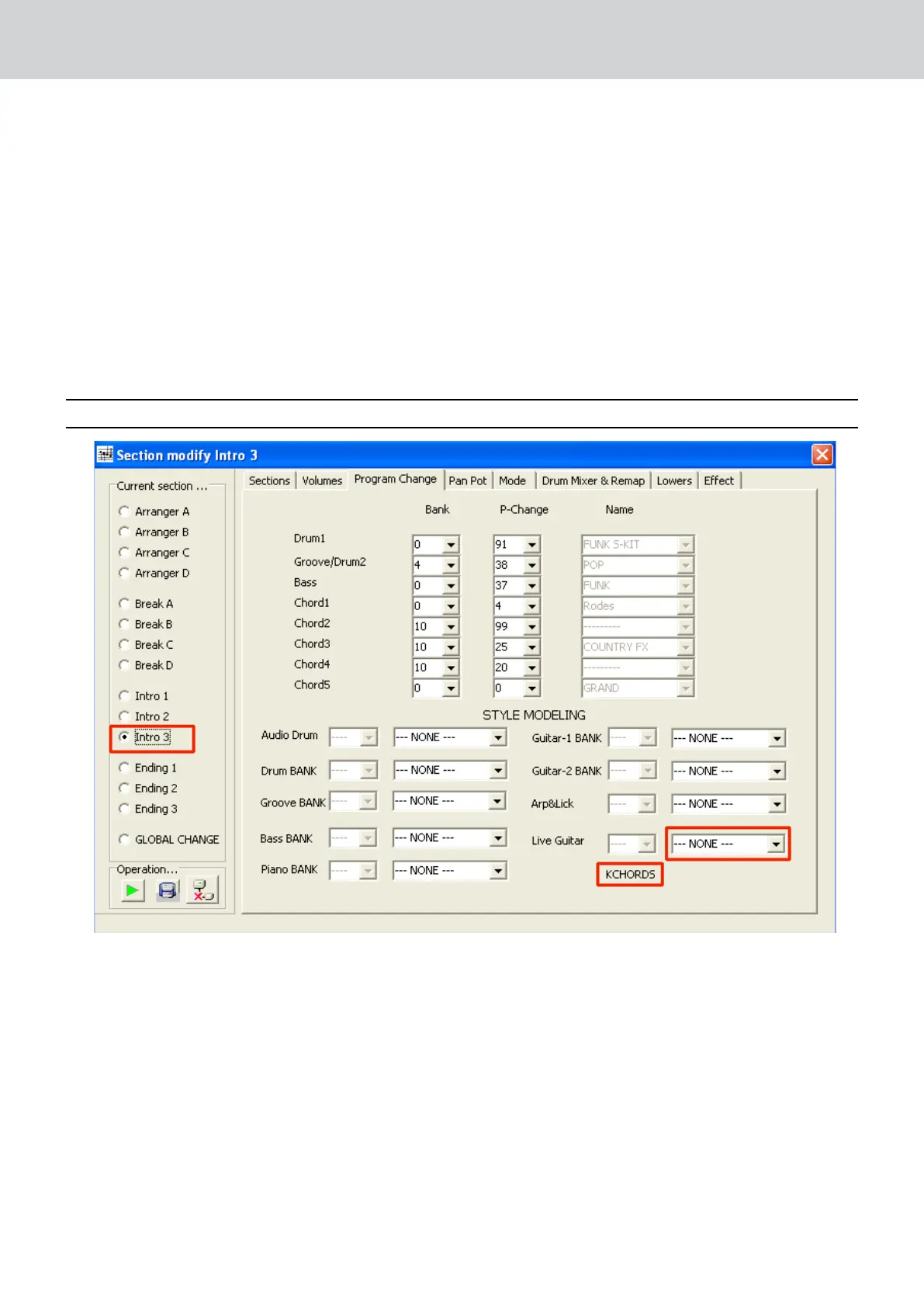
LIVE GUITARS on INTRO 3 – ENDING 3
(See also the chapter “KCHORDS TRACK PROGRAMMING on INTRO 3 – END 3)
If you have used some Program Change related to LIVE GUITARS on Intro 3 and Ending 3, after compiled the Midi
file you’ll see on the above picture the word “KCHORDS” (Intro 3 check box on is required).
Audya Style Compiler recognizes Chord changing progression on the Midi file and await for the Live Guitar
template assignment (None), as it is possible to perform the Live Guitar sequence with different type of Guitar.
Select your Live Guitar and play it directly from the pop-up menu (as showed).
If the Live guitar is not assigned the style will play the programmed Midi track (if present).


 To Next Page
 Loading...