Note:
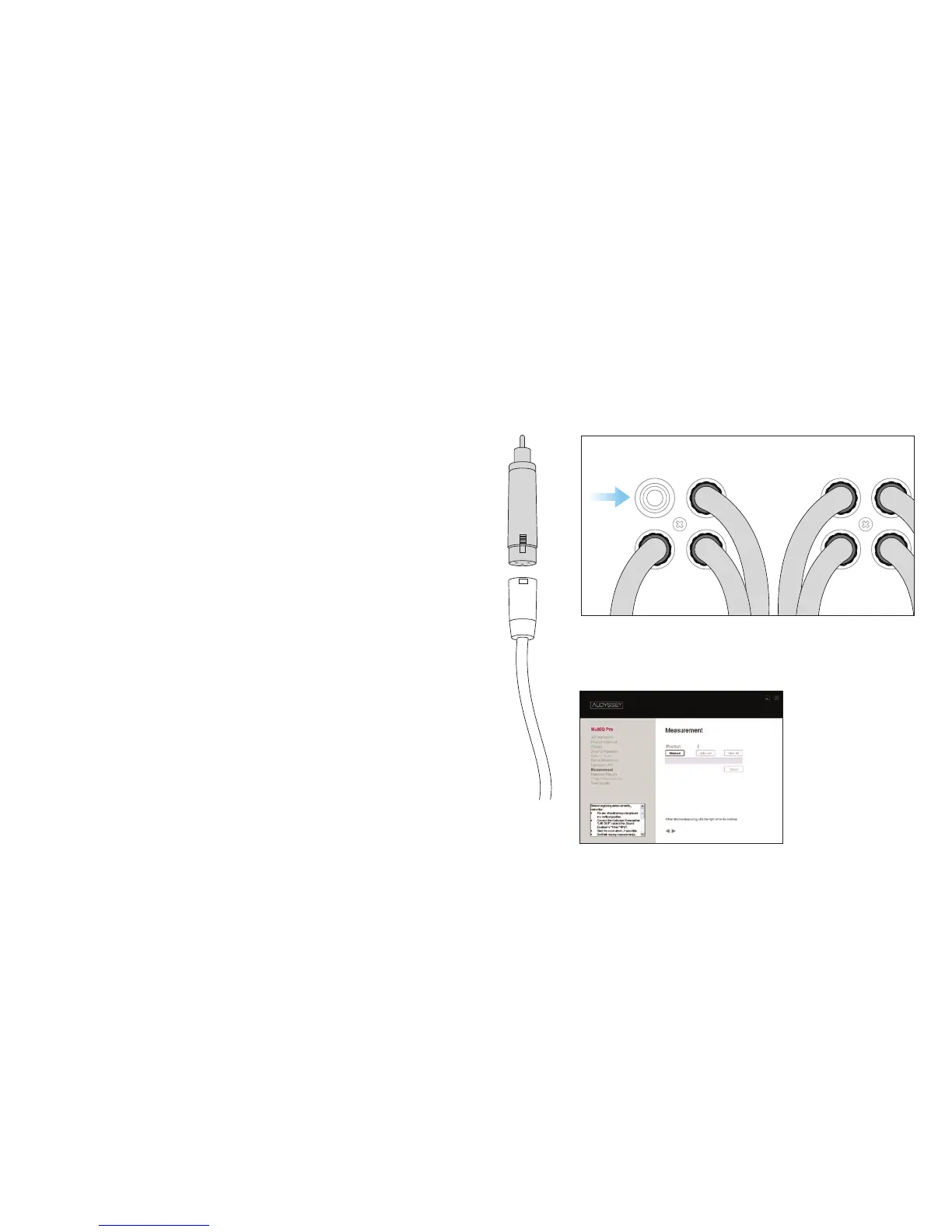
Complete steps 6 and 7 before proceeding to step 8 the
Measurement screen.
STEP 6
Use an XLR cable to connect the Calibrated Preamplifier LINE
OUT to the XLR-to-RCA Adapter (A).
STEP 7
Connect the XLR-to-RCA Adapter to the Sound Equalizer’s
1/Mic input (B). This connects the Calibrated Microphone
to the Sound Equalizer.
STEP 8
Prepare to begin the room measurements on the
Measurement screen (C).
Before measuring:
• Place microphone in a vertical position for all measurements.
• Quiet the room. Turn off home appliances, close windows,
turn off lights/cell phones, etc.
• Do not sit or stand between microphone and speakers during
measurements.
• Measure only in positions where listeners will sit or stand.
C
A B



 To Next Page