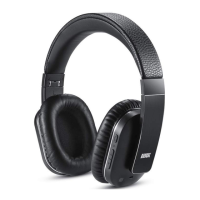
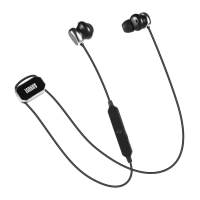
English
8. Troubleshooting
Update the driver of the Bluetooth
module on your computer.
Problem
Won't turn on.
Can’t find the
EP636.
Can’t install the
driver for EP636
on a computer.
Solution
Please charge the EP636.
Confirm the EP636 is in pairing
mode and within 10 meters from
the device.
7. Specification
Bluetooth V4.0
A2DP1.2 AVRCP1.4 HSP1.2
HFP1.6
CVC6.0 Noise and Echo reduction
10m
80Hz – 20KHz
20mW
≥90dB
≤1.0%
About 12.5 hours
About 3 hours
About 130g
165.7 x 161.5 x 50mm
Bluetooth Specification
Bluetooth Profile
DSP
Operating Range
Frequency Response
Speaker Output
SNR
Distortion
Working Time
Charging Time
Weight
Dimensions
The sound quality
is intermittent in
Bluetooth mode.
Disable the Wi-Fi on your
source device.
No sound.
Check the volume on both
the source device and the EP636.
9.Warranty
This product is guaranteed for twelve months from the date of the
original purchase. In the unlikely event of any defect arising due to
faulty materials or workmanship, the unit will be either replaced or
repaired free of charge (where possible) during this period. An
alternative product will be offered in case the product is no longer
available or repairable.
This warranty is subject to the following conditions:
-8-
-7-
power socket, and the other end of the USB cable to a powered
USB port.
The status LED constantly lights red whilst charging and lights blue
once the battery is fully charged.
Note:
1) You must select a qualified charger from a regular manufacturer.
2) Make sure that the headphones are fully charged before using for
the first time.
3) The headphone must be charged before use if it hasn’t been used
for more than 1 year.


 To Previous Page