Note: When receiving a call on either source device, the
music will automatically pause and resume once the call is
finished.
5.3 Active Noise Cancelling
Use the ANC switch to turn on / off the background active
noise cancelling.
The ANC status LED will light blue when ANC is active.
5.4 Audio-Out
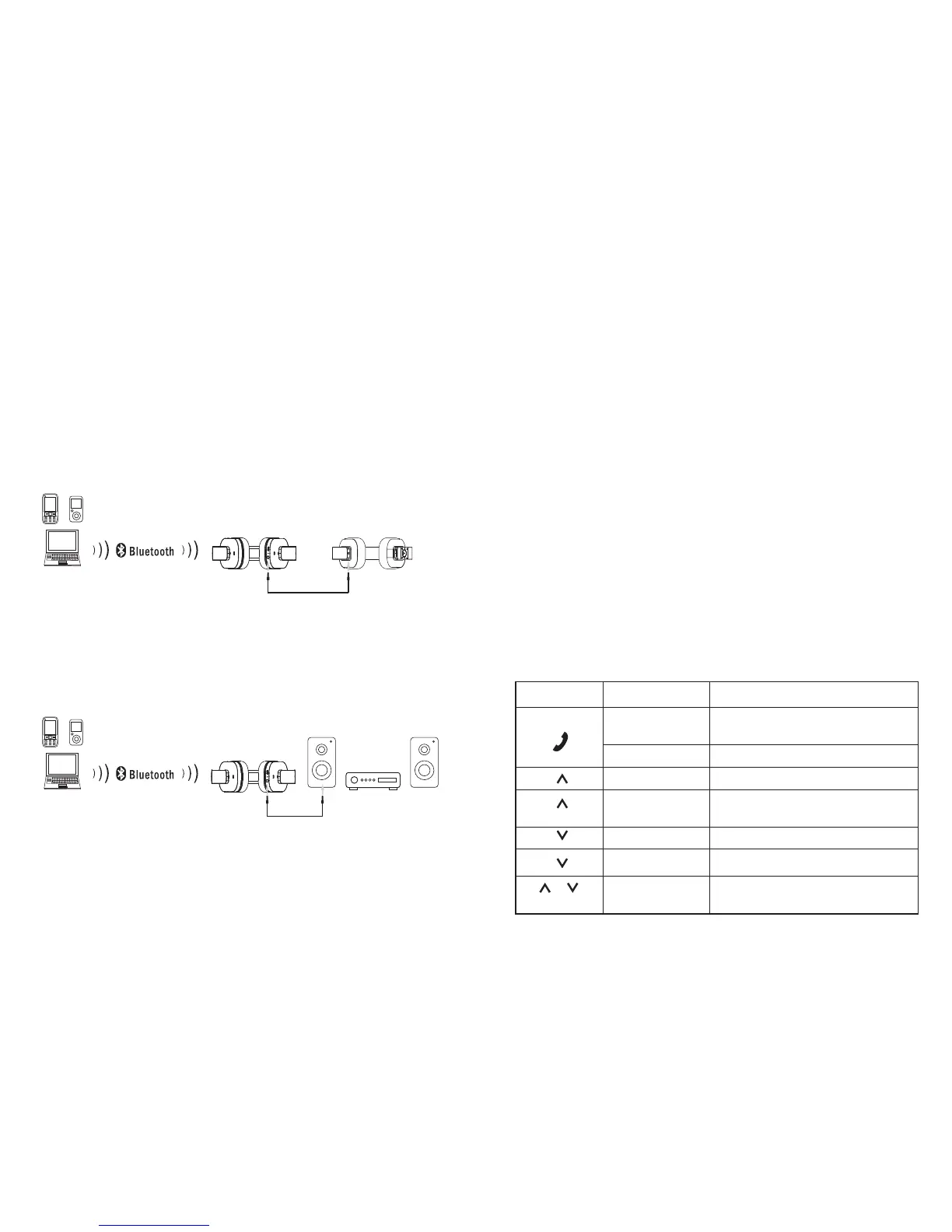
- Music Sharing
When the EP750 is paired to an audio source device, a second
pair of headphones can be connected by using a 3.5mm audio
connection.
The audio will therefore be played on the EP750 and the
second device simultaneously.
- Bluetooth Receiver
When the EP750 is paired to a source device and connected
to a speaker system’s audio-in socket, the headphones will
have the role of a receiver and any music transmitted to them
will be reproduced on the speaker system to which it is
connected.
5.5 Audio-In
To use the EP750 as a pair of wired headphones, use a 3.5mm
audio cable to connect the headphones to your source device.
Note: in order to use the headphones in wired mode, please
switch off the EP750. The audio-in requires a minimum level
of battery and will therefore not be available when the battery
is flat.
5.6 NFC Connection
1. Enable the Bluetooth and NFC functions on your source
device.
2. Switch on the EP750 and enter pairing mode.
3. Touch the NFC area of your source device against the NFC
area on the headphones. They will automatically pair with
each other.
4. Confirm Bluetooth pairing if prompted. “EP750” will now be
listed in your source device’s Bluetooth device list.
5. To disconnect your device, touch the NFC area of your
device against the NFC area on the speaker. Touch again to
reconnect.
5.7 Remote Control
Button Operation
Play / Pause;
Pick up / Hang up a call
Power on / Off / Enter Pairing Mode
Volume Up
Next track;
Reject an incoming call
Function
Press
Press and hold
Press
Press and hold
Previous trackPress and hold
Volume DownPress
Enable Multipoint
Press
&
simultaneously
EP750
EP750
-7-
-6-


 To Next Page