4. Part Names and Functions
-2-
English
3. Accessories
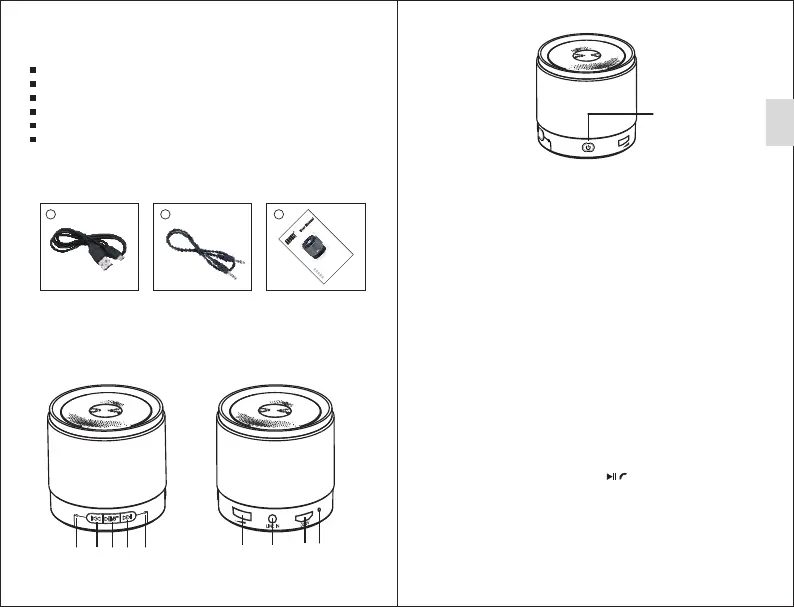
1 2 3
USB charging cable 3.5mm audio cable User manual
2. Main Features
Wireless speaker for Bluetooth devices
Standard 3.5mm audio-in socket
Hands-free calls with microphone
Built-in rechargeable battery
Distance: up to 10m (Class II)
Version: Bluetooth V4.0
1 2 4
3 5
6 7 8 9
5. Bluetooth Connection
5.1 Connect to a Mobile Phone
1 ) Press and hold the Power button until the status LED flashes blue to
enter pairing mode.
2 ) Turn on your mobile phone and scan for Bluetooth devices. “MS425”
will be found. Select “MS425” to pair your mobile phone with the
device and confirm connection. (Code: 0000)
3 ) When successfully connected, the MS425 will say "Bluetooth" and
the status LED will light blue.
4 ) The MS425 automatically attempts to reconnect to the last paired
device after it is switched on. To disconnect and pair the MS425
with a new device, press and hold for 2 seconds to force the
MS425 into pairing mode.
-3-
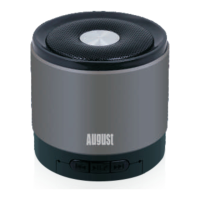
1) Microphone
2) Previous Track
3) Next Track
4) Play/Pause/Answer
5) Status LED (blue in
Bluetooth mode; red in
Line-In mode)
6) Volume Control
7) Line In
8) Power Socket
9) Charging LED
10) Power Button
(Press and hold to
turn the device off
or on.)
/
Note:
Accessing Bluetooth settings on mobile phones varies for each phone,
to find the information for your phone, please refer to its user manual.
10
MS425
EN
FR
DE
IT
ES
B
l
uet
ooth S
p
eak
e
r
H
a
u
t
-
p
a
r
l
e
u
r B
l
u
et
o
o
t
h
Blue toot
h L
auts prech
er
A
l
to
p
a
r
la
n
te B
l
ue
t
oo
th
Al
t
a
v
o
z B
l
ueto
o
th


 To Next Page