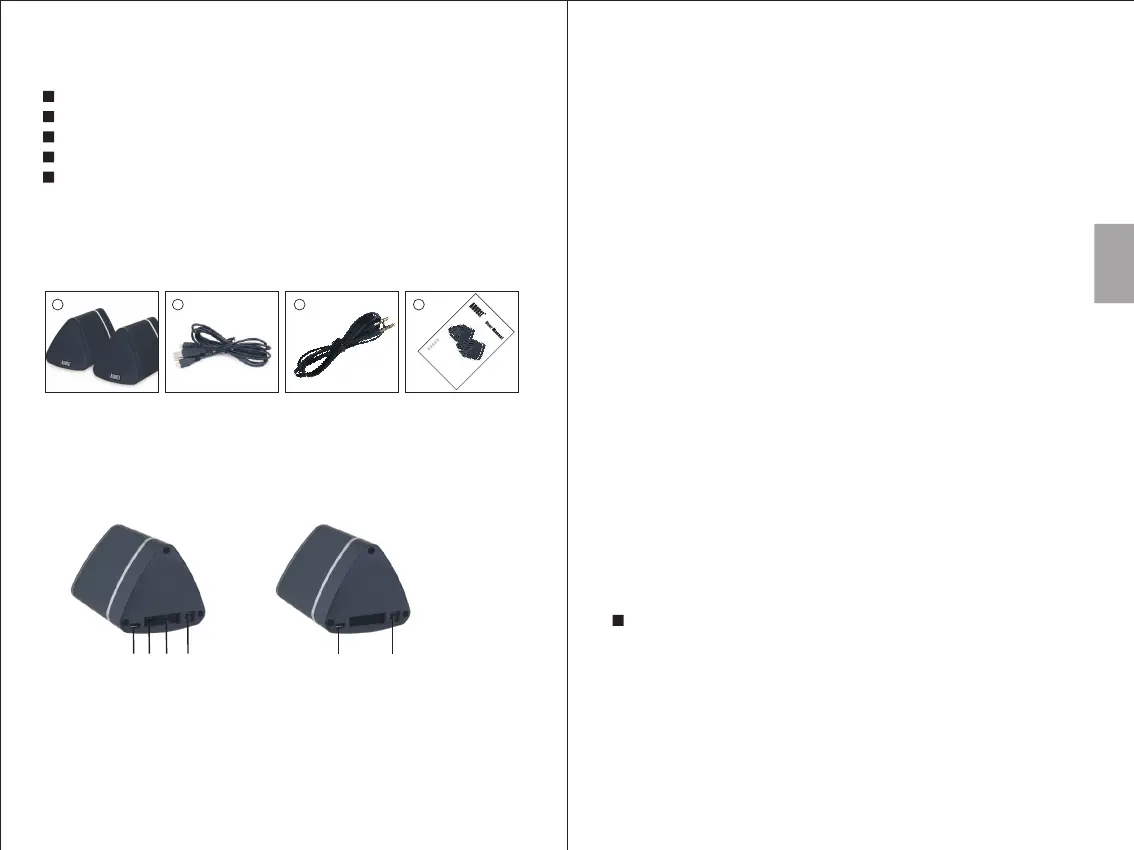
4. Part Names and Functions
-6-
-5-
3. Box Contents
2 3
Power cable
2. Main Features
1. USB Charging Port
2. Audio in Socket
3. Multifunction Switch
4. Power Switch
English
Wireless Audio from any Bluetooth Device
Low Latency Speakers for Stereo Sound on Your Home TV
Bluetooth Speaker to Speaker Connection
Audio-In Socket for Non Bluetooth Devices
Long Life Built-in Rechargeable Batteries
5. Operations
Main (Left) Secondary (Right)
1
1
2
3
4
4
5.1 Switch Speakers On/Off
The power switch for both the main and secondary speaker is a slider
switch located on the rear of each unit.
5.2 Bluetooth Connection
Before first use, please ensure that both speakers are fully charged. To
charge, use the provided USB charging cable to connect both speakers to a
powered USB port. Whilst charging, the LED lights red and turns off once
fully charged.
Both speakers need to be paired to each other prior to pairing to a source
device.
1. Switch the secondary speaker on first.
2. Then switch the main speaker on. Once paired together, the speakers will
say "Bluetooth" and status LEDs will light blue constantly.
Note: After the speakers have paired with each other, the MS625 will enter
reconnection mode and will connect automatically to a previous known
device.
If two previously paired source devices are enabled within range and only
the main speaker is on, the main speaker will be connected to those two
source devices and this will prevent it pairing to the secondary speaker.
3. To pair to a new source device, press and hold the multi-function switch
on the main speaker to enter pairing mode. In pairing mode the status
LED will flash blue.
For mobile phones
1) Scan for available Bluetooth devices on your mobile phone (see your
mobile phone user manual for instructions if needed).
2) Select “MS625” from the available devices.
3) Once successfully paired and connected, the status LED will light
constant blue.
Note: Accessing Bluetooth settings on mobile phones varies for each
phone. To find the information for your phone, please refer to its user
manual.
3.5mm audio cable
User manual
41
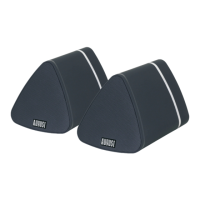
Speaker Set
MS62 5
®
Bluet o
oth
Sp
eaker S e
t
®
Ensem
ble d’
Encei
n
t
es B
l
uetoo th
®
B
lu
e
t
o
oth
L
au
ts
prech
e
r S
et
®
S
e
t d
i A
l
t
o
p
a
r
l
a
n
t
i B
l
u
e
t
o
o
t
h
®
S
et d
e A
l
ta
v
o
ces Blu
eto
o
th
EN
FR
DE
IT
ES


 To Next Page