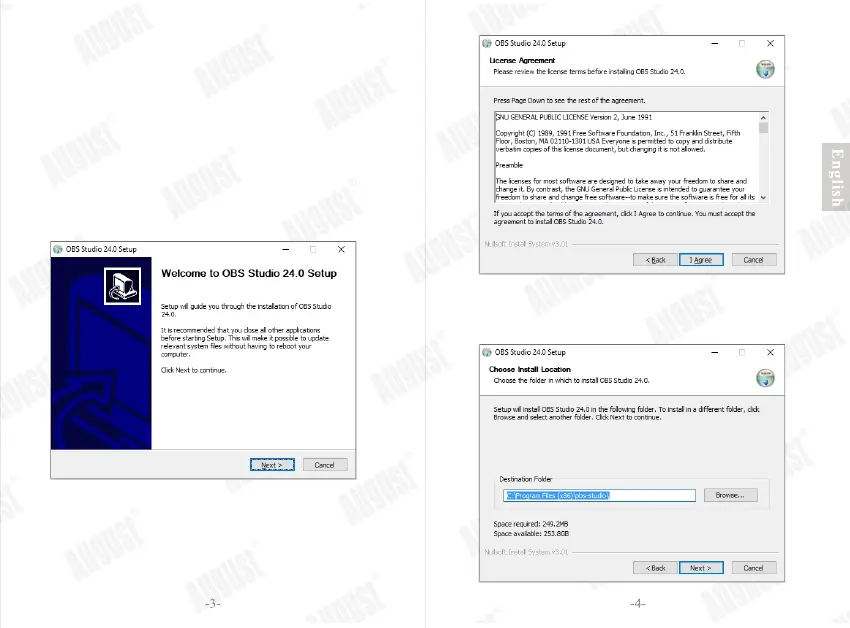
Step 1: Download the software.
Use the link below to go to the software download page of
OBS (Open Broadcaster Softer). https://obsproject.com/
Click on your operating system to download the right version
of the OBS.
Once downloaded, run the setup application. Follow on
screen instruction to complete the software installation.
Step 2: Click “Next”
Step 3: Click “I Agree” to accept license agreement.
Step 4: Click “Next” to continue or “Browse” to
choose a destination folder.


 To Next Page