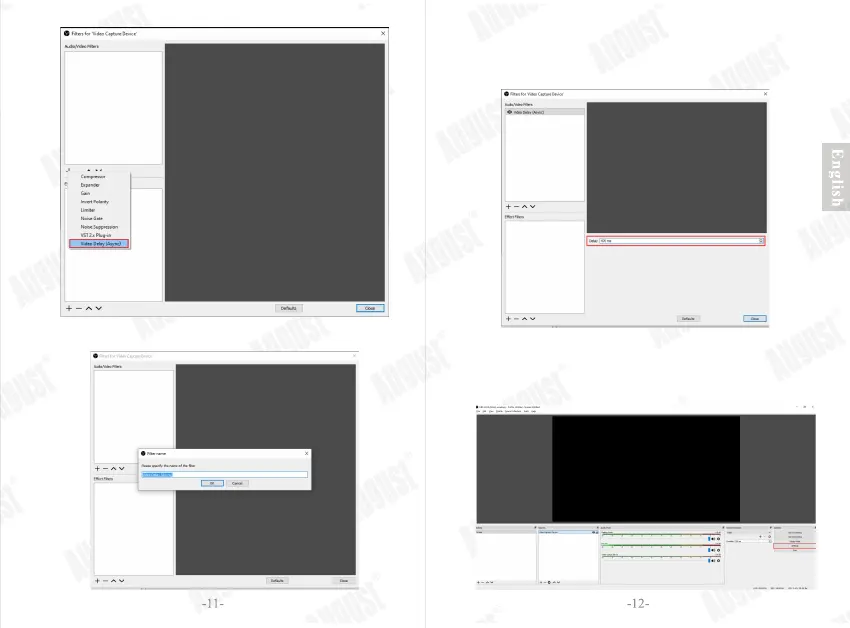
Step 8: Enter 470ms in ‘Delay’, then press ‘Close’ to
close the window.
Note: you need to adjust the value according to the actual
situation until you find the audio and video synchronization.
Step 9: Click ‘Settings’ to open the ‘Settings’ window. Click
the ‘Output’, then you can set the settings of output,
such as Recording Path and Recording Format.
Click ‘OK’.


 To Next Page