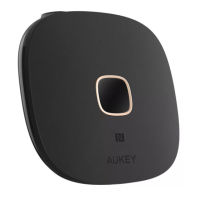
Connect one end of the included 3.5mm audio cable or Toslink optical cable to
the 3.5mm audio output or optical output of BR-O8. Connect the other end to
your wired audio equipment (wired headphones, speaker, or stereo system). You
can also plug your audio equipment cable directly into BR-O8 instead
Connect the BR-O8 to a power source with the micro-USB cable
Slide the RX/TX switch to “RX” position and slide the Power/Mode switch to “BT”
position
Tap and hold for 3 seconds, and the BR-O8 will enter pairing mode with the
square connection status indicator flashing white rapidly
Activate the pairing function of your wireless-compatible audio device (like a
smartphone) and select “AUKEY BR-O8”
Once paired, there will be a solid white “A” indicator on the display
If you want to pair with a second wireless-compatible audio device for dual
device connection, repeat steps 4 & 5 with that device
Once paired, there will be solid white “A” and “B” indicators on the display
1.
2.
3.
4.
5.
6.
7.
8.
- 04 -
Getting Started
Receiver Mode (RX Mode)


 To Next Page