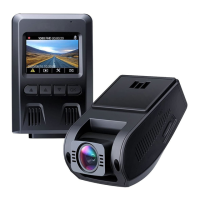
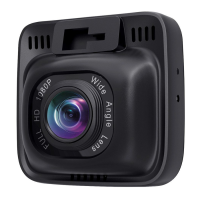
Need help?
Do you have a question about the Aukey DR02 J and is the answer not in the manual?
Records continuously, overwriting oldest footage when storage is full.
Records only when motion is detected and stops when no motion is detected.
Captures one picture per second to create a video at the current resolution.
Manually save current recording as an emergency file.
Automatically saves recording upon G-sensor activation from impact.
Take a still image while recording video.
Capture in-car audio during video recording.
Transfer files via USB or SD card.
Access, play, delete, or lock media files.
 General
| Field of View | 170° |
|---|---|
| G-Sensor | Yes |
| Frame Rate | 30 fps |
| Video Format | MOV |
| Parking Mode | Yes |
| GPS | No |
| Night Vision | Yes |
| Video Resolution | 1920x1080 |
| Screen Size | 2.0 inches |
| Storage | Supports up to 128GB microSD card |
| Loop Recording | Yes |
| Lens | 6-layer glass lens |
| Operating Temperature | -30°C to 75°C (-22°F to 167°F) |


 To Next Page