- 03 -
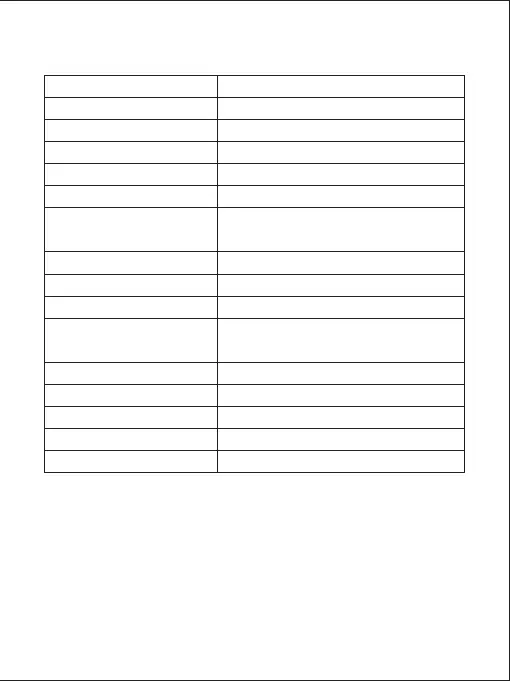
Specifications
Model
Image Sensor
CPU
Screen
Wide-Angle Lens
Material
Recording Resolutions
Image Format
Sound Recording
Gravity Sensor Sensitivity
Recording Modes
Exposure Value
Micro SD Card
Operating Temperature
Input
Size
DR02 J
AR0521
NT96660
1.5" LCD
157°
ABS, Glass
2160p (24 fps), 1440p (30 fps), 1296p (30 fps),
1080p (60 fps), 1080p (30 fps), 720p (120 fps),
720p (60 fps), 720p (30 fps), WVGA, VGA
JPEG
On / Off
Low / Medium / High
Loop, Motion Detection, Time-Lapse,
Emergency Recording
-1.0, -2/3, -1/3, +0.0, +1/3, +2/3, +1.0
128GB support (Max), Class 10
-30°C – 75°C (-22°F – 167°F)
DC 5V 1A–2A
77 x 51 x 37mm / 3" x 2" x 1.45"
LED and Screen Indicators
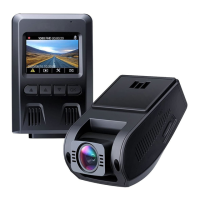
There are three indicators: an LED indicator that faces outside (to let others know you
have a camera active), an LED indicator that faces inside, and an on-screen indicator.
The outward LED indicator can be switched off if you want the dashboard camera to
be even less visible to people outside. Go to Setup > Detect Led > select Off > press OK.



 To Next Page