- 04 -
●
●
●
Double-press the power button to enter or exit low-current
charging mode. The LED indicator lights will flash sequentially while
charging in this mode and display battery level when exiting it
After 2 hours of charging in this mode, power bank automatically
switches back to standard charging mode and turns off
To end charging early, exit low-current charging mode. However,
extra charging in this mode won’t harm your device battery
●
●
●
●
●
Keep away from liquids and extreme heat
Don’t charge your devices while recharging the power bank
Recharge the PB-Y22 at least once every 3 months
Dispose of battery according to local environmental law
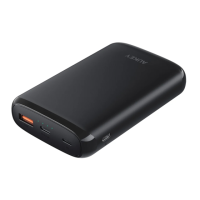
The PB-Y22 doesn’t accept simultaneous Micro-USB, Lightning,
and USB-C power input
Low-Current Charging Mode
This mode is customized to charge low-current devices (below
60mA). Try switching to this mode if a low-powered device (such as
a fitness tracker or wireless headphones) isn’t charged in the
standard charging mode.
Product Care & Use


 To Next Page