9000015401_V2.1_KW11/19
CONFIGURATION
For the navigation thrue the software UniPC there
are menu items, buttons and tabs available.
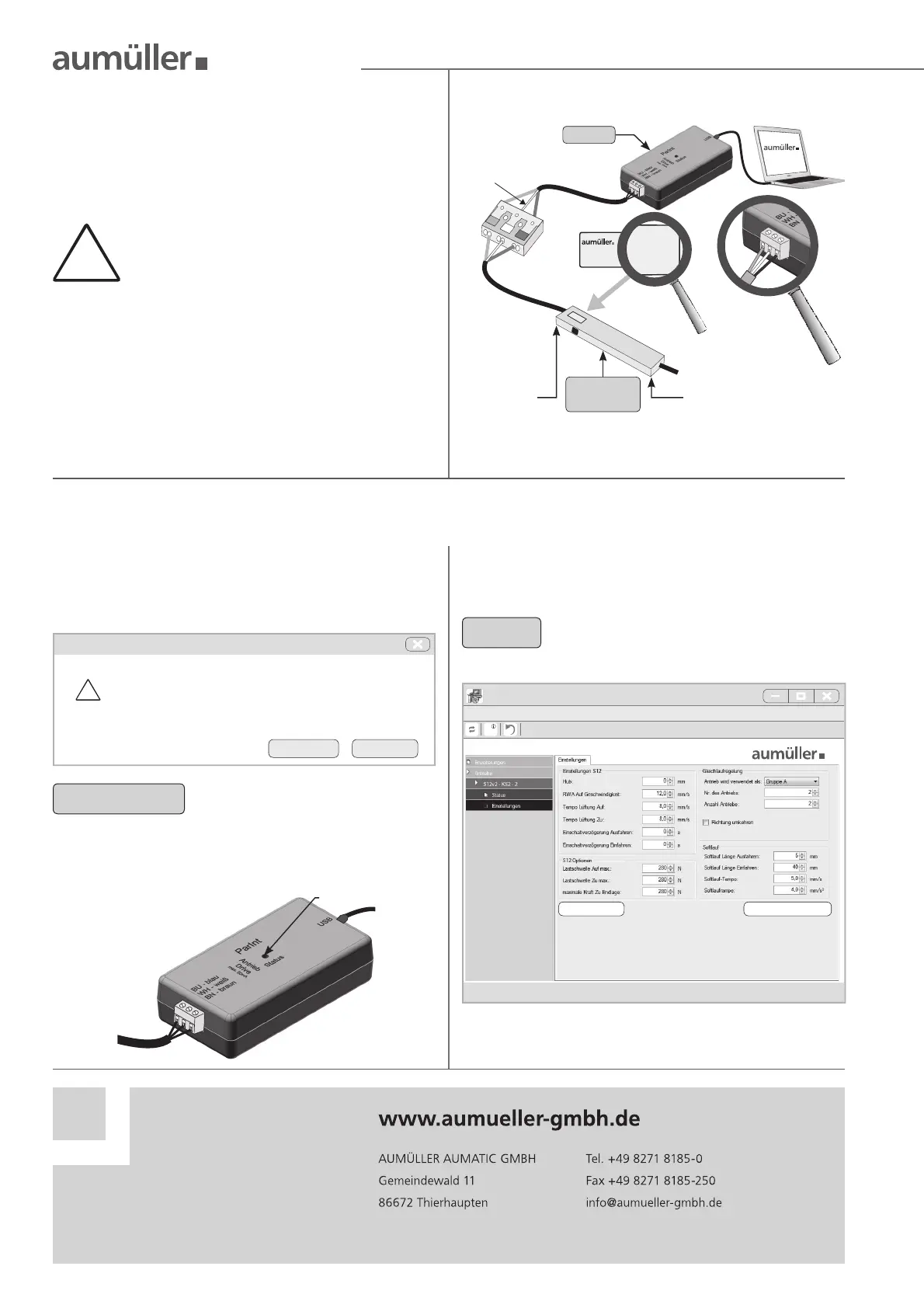
Connect computer, Interface „ParInt“ and drives.
!
CONNECTION OF DRIVES 230 V AC WITH S12
- P
ARAMETERISATION ON THE 24 V-SIDE
Do not use an external power supply, other-
wise the drive will be destroyed.
Program without voltage. Connect only to
the „PartInt“.
BU
WH
BN
BU
BN
UniPC
S12
230VA C
drive
“Z“ version
ParInt
24 V DC side 230 V AC side
NOTE
For information about the exact procedure
and the functions of the software UniPC
please refer to the „Help / User‘s Manual“.
Universal drive con guration
.Startup OK
File drive con guration language Help Over.....
Origin search stroke measurement
INSTALLATION STEP: START THE CONFIGURATION
Start the software UniPC with a double-click.
When the program starts it automatically checks
for new updates. Depending on the requirements
click the button Yes or No.
The LED in the „ParInt“ ashes red. The software
UniPC is searching for connected devices.
LED
Updates
!
Perhaps this version is obsolete.
Would you like to check for updates now?
Yes No
RECOMMENDATION
Always start updates to keep the
software up to date



 To Previous Page
 Loading...