Need help?
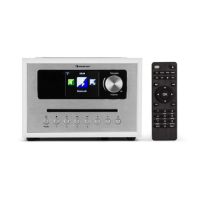
Do you have a question about the auna multimedia Connect CD Series and is the answer not in the manual?
Identifies and describes the controls and indicators on the front of the device.
Identifies and describes the ports and connectors on the rear of the device.
Instructions for inserting batteries into the remote control for operation.
Steps to connect the device to power and a network environment.
Guide for setting up music file sharing from a PC to the device.
Covers the startup wizard, menu navigation, and volume control.
Configuration for time, date, time zone, and daylight saving options.
Details network connection methods, region selection, wizard, and PBC.
Explanation of equaliser modes and custom sound adjustments.
Viewing network details and managing saved wireless profiles.
Changing the display language and resetting the device to default settings.
Procedure for checking and installing firmware updates.
Adjusting display backlight and browsing station lists.
Managing favorite stations and exploring station categories.
Registering the unit and saving/recalling preset stations.
Instructions for connecting and using Spotify streaming services.
Streaming audio from network shares and playing files from USB.
Playback modes and DLNA streaming setup from PC.
Configuring Windows Media Player for audio streaming.
Using DLNA apps on mobile devices to control playback.
Scanning for available DAB/DAB+ radio stations.
Adjusting DAB settings like DRC and saving presets.
Tuning and using the FM radio, including RDS information.
Configuring FM scan settings and saving FM presets.
Pairing and controlling Bluetooth audio devices.
Inserting discs and basic CD playback operations.
Setting up a custom playback sequence for CD tracks.
Connecting external devices via AUX and setting sleep/alarm timers.
Setting the sleep timer and using the headphone output.
Information on proper disposal and recycling of the product.
Statement of compliance with European directives (CE marking).
Detailed conformity statement including applied standards and directives.
 General
| Brand | auna |
|---|---|
| Model | multimedia Connect CD Series |
| Category | Radio |
| Media Playback | CD, MP3, USB |
| Streaming Services | Spotify Connect |
| Tuner Type | DAB+/FM/Internet |
| Connectivity | WiFi, Bluetooth |
| Inputs/Outputs | AUX |
| Frequency Range | FM: 87.5 - 108 MHz |

 To Next Page