EasyManua.ls Logo

auna AV2-CD508 - User Manual

auna AV2-CD508
20 pages
Go to English
Print Icon
To Next Page IconTo Next Page
Loading...
www.auna-multimedia.com
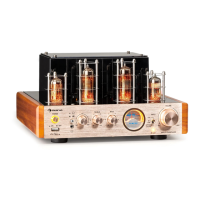
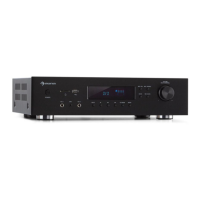
AV2-CD508
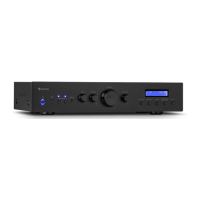
AV2-CD508BT
Hi-Fi-Verstärker
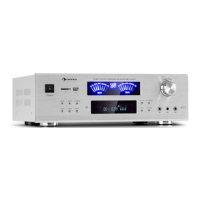
Hi-Fi Amplifier
10008978 10008979
10008980 10004933

Other manuals for auna AV2-CD508

Questions and Answers

  • J
    Jamie JonesJul 28, 2025
    Why is my auna Amplifier remote control not working?
    • S
      Scott RobertsJul 28, 2025
      The remote control might not be working due to several reasons: the battery may be empty (replace the battery), the battery might be inserted incorrectly (insert the battery correctly), the remote control might be too far from the unit (reduce the distance), there might be obstacles in the way (remove any obstacles), or the wrong key might be pressed (use the correct button).
  • R
    Richard BerryAug 4, 2025
    How to fix distorted stereo sound on auna Amplifier?
    • V
      Vincent BarryAug 5, 2025
      If the stereo sound is distorted, with left and right reversed, or the sound seems distant, there may be a polarity problem. Check that the speakers and input channels are properly connected, ensuring (+) is connected to (+) and (-) to (-).
  • E
    Erin RayAug 12, 2025
    Why is there no sound from the center channel of my auna AV2-CD508?
    • E
      Elizabeth MyersAug 12, 2025
      If there's no sound from the center channel, the speaker connection may be disconnected (check the cable and connection of the speakers), the cable connection of the input source may be interrupted (check the cable connection of the input source), or the balance control may not be set correctly (check the balance control setting).
  • D
    dianeortegaAug 20, 2025
    What to do if my auna Amplifier has no indicator light and no sound?
    • D
      dpruittAug 20, 2025
      If the indicator is not lit and there is no sound, the mains plug may not be connected correctly. Check the cable and connection.

Summary

Safety Instructions

Product Overview

Remote Control

Connections

System Connection

Details how to connect the main system components, including precautions for speaker wires.

Scheme of Input Connection

Illustrates the physical connections for input sources like AUX, DVD, and CD players.

Speaker Connection

Operation and Functions

Normal Operation

Guides through standard functions like source selection, volume, bass, treble, and balance adjustments.

Bluetooth Connection

Step-by-step instructions for pairing and connecting Bluetooth-enabled devices.

Troubleshooting

No Sound Issues

Resolves problems related to no sound output, covering indicator status and speaker connections.

Center Channel Sound

Troubleshooting for absent or problematic audio from the center channel.

Distorted Stereo Sound

Addresses issues with reversed or distant stereo sound perception.

Remote Control Problems

Solutions for a non-responsive remote control, including battery and range checks.

Hints on Disposal

auna AV2-CD508 Specifications

General IconGeneral
PurposeHome
MaterialSteel
On/off switchYes
Product colorBlack
Volume controlRotary
Remote control typeIR
Maximum output power600 W
Connectivity technologyWired
Line inputs (RCA)3
Line outputs (RCA)1
RMS rated power125 W
AC input voltage230 V
AC input frequency60 Hz
Weight and Dimensions IconWeight and Dimensions
Depth260 mm
Width425 mm
Height85 mm
Weight3300 g

Related product manuals