49
Answering incoming calls
After you hear the ring tone, a incoming telephone number will be displayed on the monitor. Press
to
answer the call ( /PAIR on the RC).
Call transfer
Transfer the current call back to your phone by pressing or PAIR (RC).
End / Reject calls
Press on the touch screen or alternatively REDIAL on the RC.
Redial the last called number
Use or REDIAL (on the RC), to redial the last called number.
To adjust the volume during calls
Turn the VOL knob, or use VOL+/- to adjust the volume. Press MUTE to mute the phone volume.
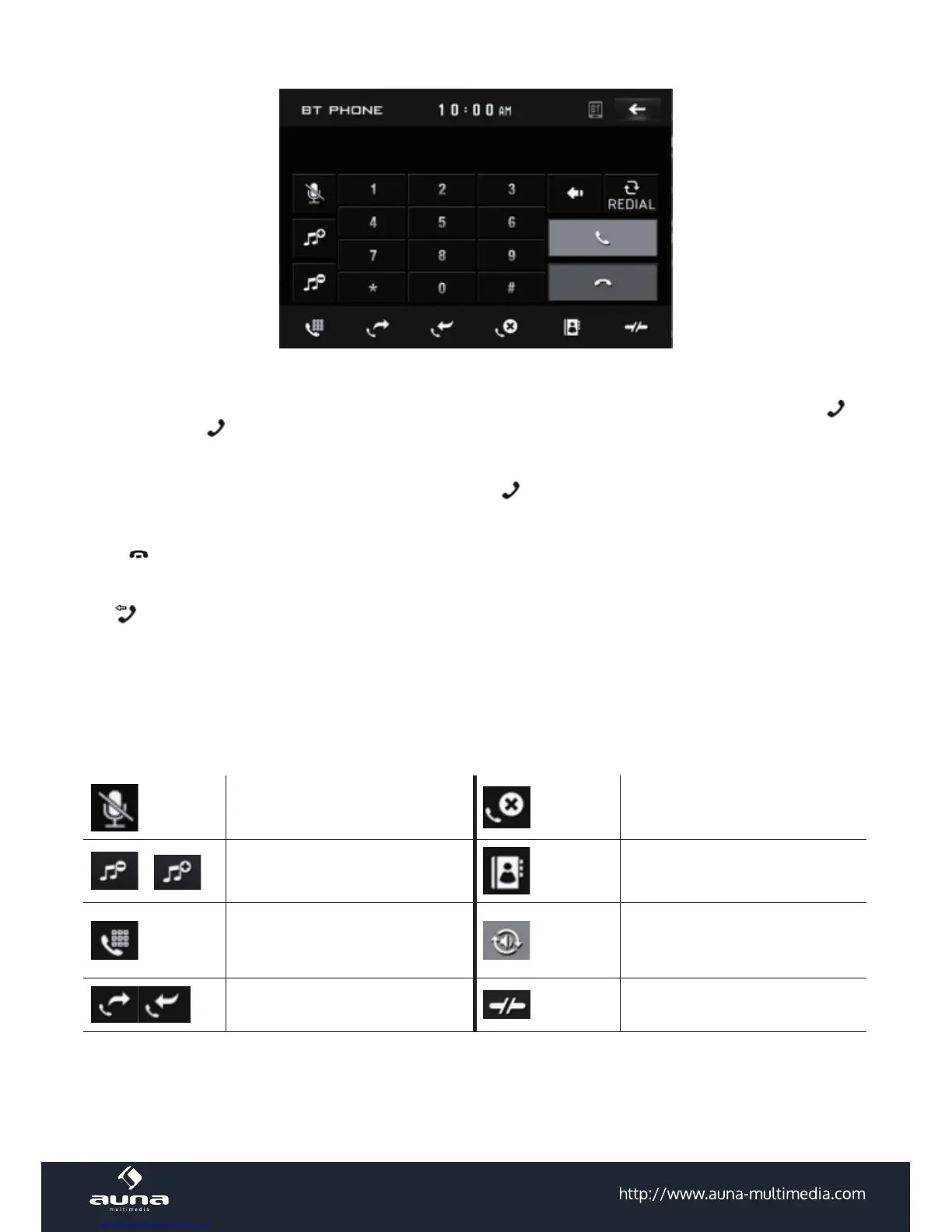
BT functions:
Mute microphone List of missed calls
/
VOL +/- Contacts
Switch to dial num pad
During talk, tap to change the
sound from the phone to the
unit
Display incoming / outgoing
calls
Disconnect



 To Next Page