52
Change to SD/MMC mode by pressing MODE repeatedly. When you insert a memory card with readable
les stored, it will start playing automatically.
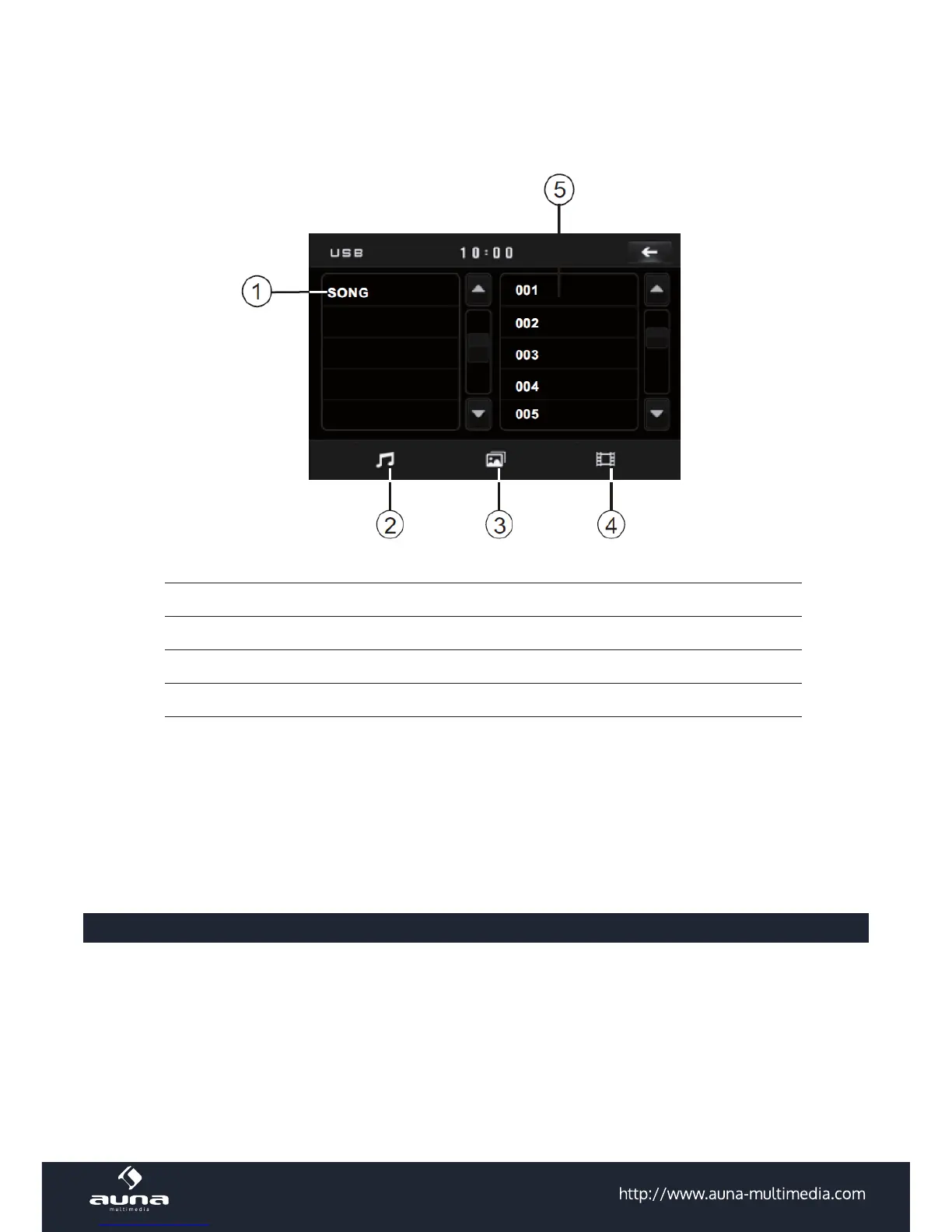
Example: MP3 mode
1 Current le type (lter)
2 Currently playing
3 Current mode (here: music)
4 Change to: images
5 Change to: movies
& Current le in folder
To select a le, touch the corresponding area on the touch screen or use the direction buttons on the RC and
conrm your choice (highlighted) by hitting ENTER.
The images and movies modes are based on the same gui thus follow the same logic.
AUX In
• Connect any external media player to the control panel using a standard 3.5mm audio cable.
• Switch to AUX mode.
• Use the external device to navigate. Make sure it has the volume turned up.
• Control the overall volume with the volume knob on the moniceiver.



 To Next Page