51
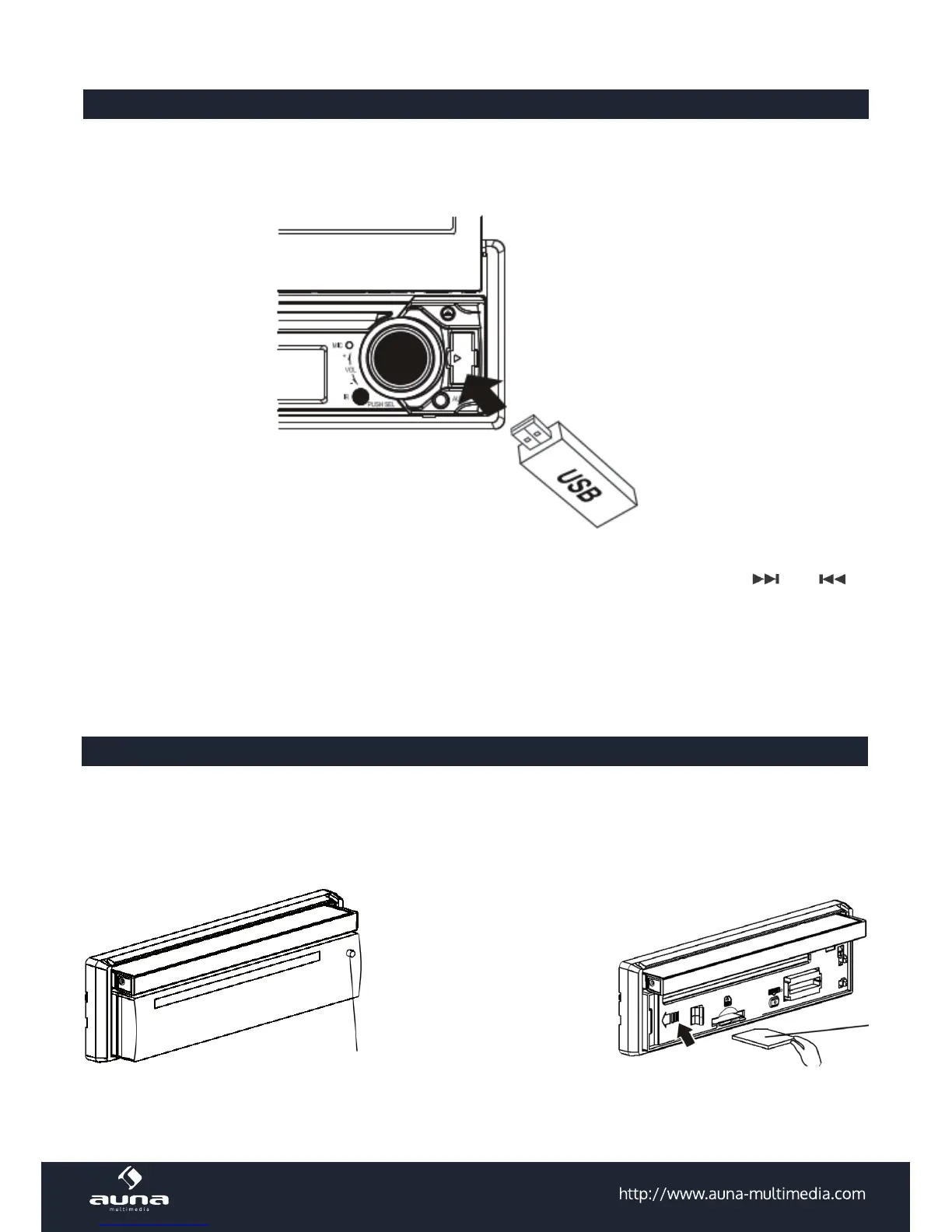
USB - Connection and Operation
• Connect your USB device to the front panel USB port . If it is properly connected, the device will be
mounted and start playing automatically.
Control the playback using the touch screen or via the RC. Choose the desired track using the direction
buttons, hitting ENTER to con rm playing the at the time highlighted le. Conveniently use and as
well as FFW/FFR and PLAY/PAUSE / STOP to navigate through your media library.
Please note: To avoid any damages to the USB drive, do not disconnect it from the car stereo while playing.
It is recommended to change to another playback mode or switch the car stereo o before disconnecting
the USB drive.
SD/MMC Operation
The unit supports MP3, WMA, JPEG, MP4 and Divx stored on SD / MMC memory card. Please read below
before you start the operation of memory card.
INSERTING SD OR MMC
Press REL to detach the pa-
nel. Insert the memory card
into the card slot (printed
side facing up).
Note: the micro SD slot is for
GPS cards only.



 To Next Page