EasyManua.ls Logo

auna Karaboom 100 Wif - User Manual

auna Karaboom 100 Wif
137 pages
Go to English
Print Icon
To Next Page IconTo Next Page
Loading...
www.auna-multimedia.com
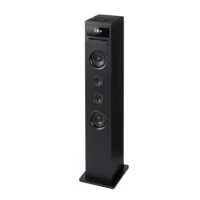
Karaboom 100 Wi
Turmlautsprecher mit Internetradio
Tower Speaker with Internet Radio
Enceinte tour avec radio Internet
Torre de sonido con radio de internet
Altoparlante a torre con web radio
10032150 100321051

Questions and Answers

  • A
    ashleyleeAug 1, 2025
    Why is the DAB+ reception poor on my auna Karaboom 100 Wif Speakers?
    • B
      Bianca LopezAug 1, 2025
      To resolve poor DAB+ reception on your auna Speakers, first perform a station scan. If the issue persists, try changing the location of the radio, for example, move it closer to a window, and then repeat the station scan. The cause may be that no stations were found or the antenna is not fully extended.
  • R
    Robert CarterAug 5, 2025
    What to do if the volume is too low on my auna Speakers?
    • C
      Christopher CooperAug 5, 2025
      If you're experiencing low volume with your auna Speakers, check the volume setting on the CZT-18013CD. Also, verify the volume setting of the device connected to the speakers from which the music is being played.
  • B
    Benjamin LawrenceAug 9, 2025
    What to do if the AUX function is not working on my auna Karaboom 100 Wif Speakers?
    • K
      Karen BallAug 10, 2025
      To fix a non-functional AUX on your auna Speakers, ensure that the CZT-18013CD is set to “AUX” mode. If it still doesn't work, check the cable connection between the CZT-18013CD and the external device to make sure the cable is not faulty.
  • M
    Michael Williamson Jr.Aug 13, 2025
    How to fix auna Karaboom 100 Wif Speakers when Wi-fi (W-LAN) connection cannot be established?
    • F
      frankgomezAug 14, 2025
      To establish a Wi-Fi connection with your auna Speakers, check the availability of Wi-Fi networks. Try reducing the distance between the Wi-Fi router and the radio. Also, ensure that you are using the correct WEP/WPA password when logging on to the Wi-Fi router.
  • C
    Carl Randall PhDAug 18, 2025
    How to fix auna Karaboom 100 Wif Speakers network connection when it cannot be established?
    • A
      Alisha BellAug 19, 2025
      To fix the issue where the network connection cannot be established on your auna Speakers, check the Wi-Fi function. Activate the DHCP function of the router to which the radio is to be logged in. Also, ensure that a firewall is not active in the network, as this may be the cause.
  • M
    Michael BellAug 23, 2025
    What to do if the remote control is not working for auna Speakers?
    • A
      Alyssa RollinsAug 23, 2025
      If the remote control is not working with your auna Speakers, check whether the batteries are discharged or incorrectly inserted. Ensure the batteries are inserted in the correct direction.
  • A
    Arthur DickersonAug 27, 2025
    How to fix auna Speakers with no display indication?
    • D
      Devin OlsenAug 27, 2025
      To resolve the issue of no display indication and the radio not responding on your auna Speakers, set up the power supply using the mains adapter supplied.

Summary

Technical Data

Safety Instructions

General Usage Guidelines

Guidelines for safe and proper use of the equipment.

Mains Power Disconnection

How to fully disconnect power from the mains.

Small Parts Hazard Warning

Precautions regarding small parts and suffocation risk.

Device Description

Top Panel Controls

Description of buttons and controls on the top of the device.

Rear and Side Panel Connections

Overview of all ports and connectors on the device.

Remote Control Functions

Power and Mode Buttons

Controls for power, sound, alarms, and display settings.

Playback and Navigation Controls

Buttons for controlling media playback and navigating menus.

Initial Operation Guide

Powering On and Off

Steps to power the device on and off.

Network Configuration Steps

Guide to connecting the device to a network.

Basic Operation

Configuration Menu Navigation

Accessing and navigating device settings.

Network Configuration Settings

Settings for Wi-Fi connection types.

Configuration Options

Alarm Settings

Configuration for multiple alarms and volume.

Advanced Configuration

Media and Information Modes

Internet Radio Access

Accessing favorite stations, history, and service.

Media Center Functions

Managing media from USB, UPnP, and playlists.

Function Operation

Internet Radio Navigation

Navigating internet radio stations.

USB Media Playback

Playing audio files from USB storage.

UPnP Media Streaming

Streaming media from network devices.

Detailed Configuration Settings

Wireless Network Setup

Detailed steps for wireless network configuration.

Date and Time Configuration

Manual and automatic date/time configuration.

Time and Alarm Configuration

Alarm Setup and Volume

Configuring up to three alarms with volume and repeat options.

Sound and Timer Settings

Power Management Configuration

Configuring automatic standby mode.

Sleep Timer Function

Setting the device to power off automatically.

Advanced Features and Connectivity

Software Update and Reset

Procedures for updating software and resetting defaults.

Control via Air Music Control

Media Playback

FM Radio Operation

Scanning and operating FM radio stations.

Digital Radio (DAB)

DAB Radio Operation

Scanning and selecting DAB stations.

Troubleshooting Guide

Network Connectivity Troubleshooting

auna Karaboom 100 Wif Specifications

General IconGeneral
Brandauna
ModelKaraboom 100 Wif
CategorySpeakers
LanguageEnglish

Related product manuals