35
Media Player
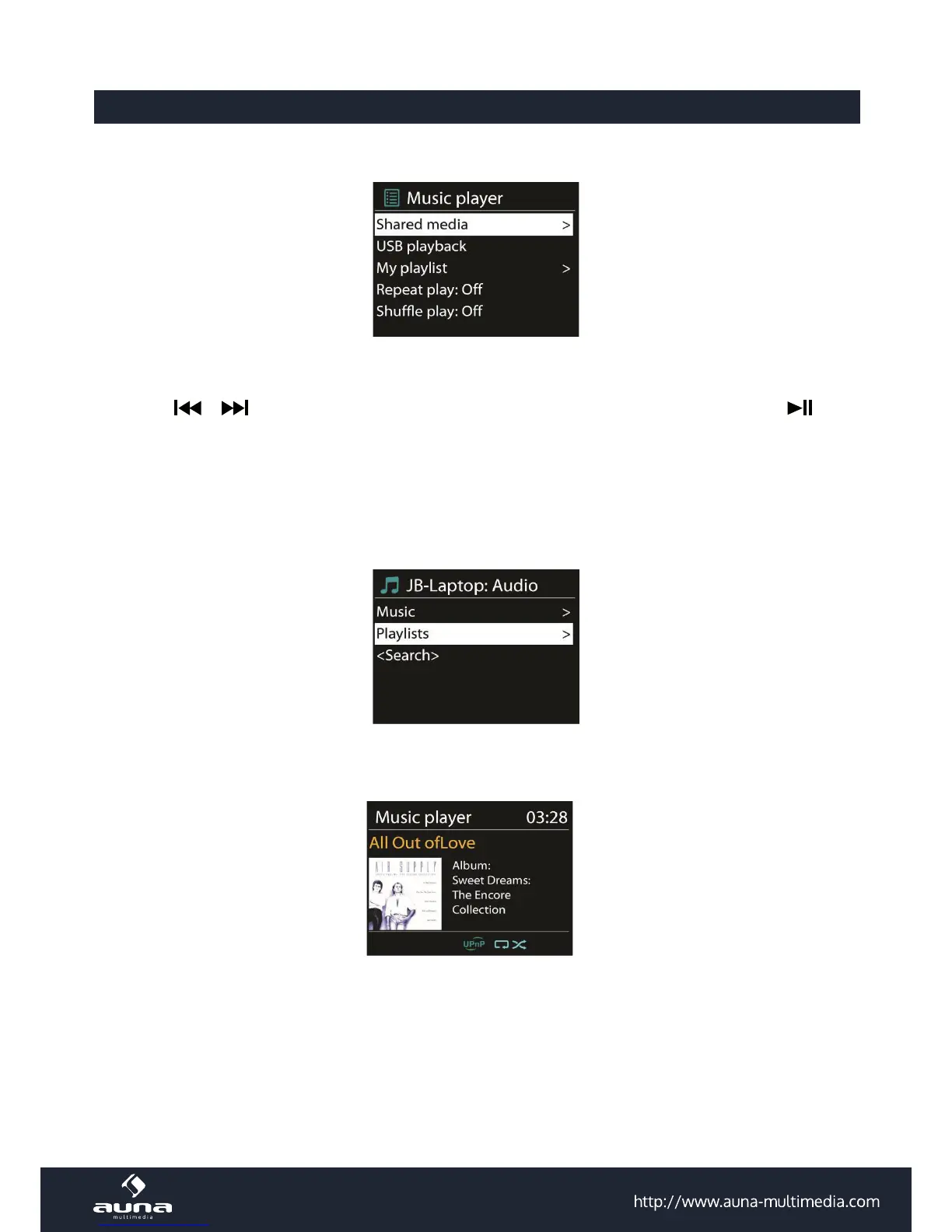
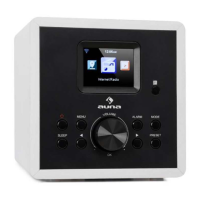
Music player mode plays audio les in MP3, WMA, WAV, AAC or FLACformat from a computer on the local network.
If you are already playing a music le, you can press ‘Return’ or ‘Back’ on the remote control rather than ‘Menu’ to
quickly to quickly return to the last visited branch of the menu tree.
You can use
or to play the previous or next track, press and hold to rewind or fast forward. Press to play
or pause.
5.4.1 Shared media
It you have set up shared media, you should see an entry consisting of <computer name>: <Shared media name>. If
you have more than one computer sharing media, the alternatives are listed. Select the shared media you want to play.
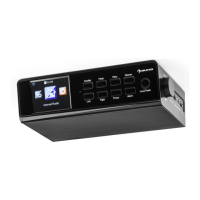
From this point on, the menusare generated from the shared media server. The rst menushows a list of media types,
for example Music, Video, Pictures and Playlists. unit can only play music and playlists.
There is also a search function which nds tracks in a similar way toInternet radio search.
From Music, there are numerous ways of selecting tracks including Genre, Artist, Album, Composer and Rating.
Once you have found a track you want to play, press . A short press plays the track immediately.


 To Next Page