EasyManua.ls Logo

auna KR-140 - User Manual

auna KR-140
63 pages
Go to English
Print Icon
To Next Page IconTo Next Page
Loading...
www.auna-multimedia.com
KR-140
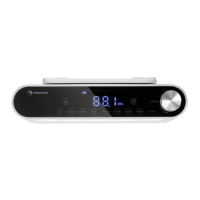
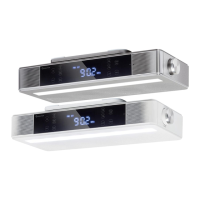
Küchenradio
Kitchen Radio
10031856 10031857

Questions and Answers

  • R
    Rebecca ElliottAug 2, 2025
    What to do if there is no sound from my auna KR-140 Radio?
    • D
      dustineverettAug 3, 2025
      If your auna Radio isn't producing any sound, first ensure the volume isn't set too low on both the radio and your connected mobile device. Then, verify that you've selected the correct input source. If using Bluetooth, confirm that your device is within the operational range, properly paired, and shows as connected on your mobile device.
  • W
    William BrownAug 16, 2025
    How to fix an auna KR-140 that won't turn on?
    • N
      nfryAug 16, 2025
      If your auna Radio isn't powering on, make sure the DC plug of the AC adapter is securely plugged into the DC jack on the main unit and that the AC adapter is firmly plugged into the AC outlet.

Summary

Technical Data

Safety Instructions

Product Overview

Getting Started

Manual Clock Setting

Guide on manually setting the device's clock and time format.

Set Cooking Timer

Kitchen Light On;Off

FM Radio

FM Stereo Operation

Using FM stereo, adjusting volume, and muting radio sound.

Manual Radio Tuning

Steps for manual radio frequency tuning and saving presets.

Auto Memory Stations (AMS)

Automatically scanning and storing available radio stations.

Recall and Change Presets

Recalling and switching between saved radio presets.

FM Stereo Function Control

Turning the FM stereo broadcasting function on and off.

Use BT Mode

Switching Modes

Seamlessly switch between Bluetooth and FM radio modes.

Bluetooth Device Pairing

Connect your mobile device via Bluetooth for the first time.

Disconnecting Bluetooth

Procedures for disconnecting from a paired Bluetooth device.

Managing Bluetooth Connections

Erasing old pairings and connecting new devices.

Bluetooth Music Playback

Controls for playing music via Bluetooth.

Hands-Free Calling

Using the device for phone calls.

Redialing Last Call

How to redial the last outgoing call.

Resetting the Device

Install the Under Kitchen Mounting Bracket

Troubleshooting

Disposal Considerations

auna KR-140 Specifications

General IconGeneral
Brandauna
ModelKR-140
CategoryRadio
LanguageEnglish

Related product manuals