EasyManua.ls Logo

auna US-10028155 - User Manual

auna US-10028155
32 pages
Print Icon
To Next Page IconTo Next Page
Loading...
www.auna-multimedia.com
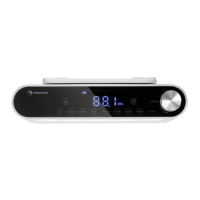
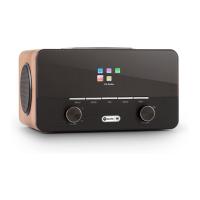
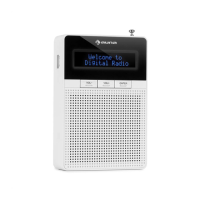
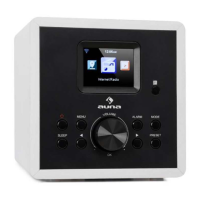
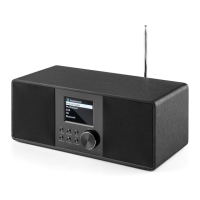
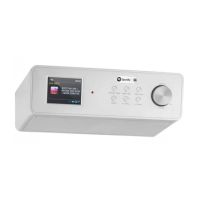
Under Cabinet Radio
Under Cabinet Radio
US-10028155 US-10032011

Questions and Answers

  • M
    Mr. Steven Sandoval Jr.Aug 1, 2025
    What to do if my auna Radio has no sound?
    • W
      William GriffinAug 1, 2025
      If your auna Radio has no sound, there might be a couple of reasons. First, check if the device is muted and increase the volume. If that doesn't work, try removing all audio cables that are plugged in.
  • B
    brittany81Aug 16, 2025
    Why my auna Radio wireless connection cannot be established?
    • M
      Mary GonzalesAug 16, 2025
      If your auna Radio cannot establish a wireless connection, several factors could be the cause. You can check the LAN cable or the wireless LAN function. Try assigning an IP address to the device and enable the DHCP function on the browser. Also, if a firewall is enabled on the network, set it so that access is possible. Try restarting the router, checking the availability of the network on the router, reducing the distance to the router and making sure the password is correct.

Summary

Safety Information

Electrical and Physical Hazards

Precautions for electric shock, fire, laser radiation, and ventilation.

Health and Legal Warnings

Information on Proposition 65 and potential health risks.

Warranty Information

General Safety Instructions

Operating Elements Overview

Device Controls and Interface

Remote Control Functions

Detailed explanation of the remote control buttons and their uses.

Installation and Initial Setup

Installation Method

Instructions for installing the radio under a cabinet.

Initial Operation Steps

Steps for connecting the device and preparing for network use.

Settings and Configuration

Network and Time Settings

Network Connection Setup

Steps for scanning and connecting to wireless networks.

Network Connection Methods

WPS Connection Options

Connecting using WPS button or PIN method.

Internet Radio Features

Accessing Internet Radio

Connecting to the Frontier Silicon portal for station lists.

Station List Browsing

Searching and browsing stations by genre, location, or popularity.

Internet Radio Stations and Favorites

Media Player Functions

Playing Network Media

Playing MP3, WAV, WMA, AAC, and FLAC files from a PC.

Streaming Services

Spotify Connect Usage

Streaming Spotify content using a smartphone or tablet.

DLNA Streaming Setup

Streaming music via DLNA from PC or mobile devices.

Streaming from Computer

Media Sharing Configuration

Sharing media via Network and Sharing Center.

Streaming from Mobile Devices

FM Radio Operation

Tuning FM Stations

Scanning and selecting FM radio stations.

Alarm and Sleep Functions

Configuring Alarms

Setting up wake-up calls with snooze function.

Troubleshooting and Timers

Common Device Issues

Solutions for power, sound, and network connection problems.

auna US-10028155 Specifications

General IconGeneral
TypeInternet Radio
Speaker Output3W RMS
Frequency RangeFM: 87.5 - 108 MHz
Headphone JackYes
Display2.4 inch TFT color display
ConnectivityBluetooth, AUX
FeaturesFM Radio, Alarm Clock

Related product manuals