EasyManua.ls Logo

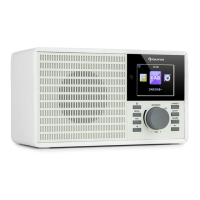
auna iTuner 320 - User Manual

auna iTuner 320
132 pages
Go to English
Print Icon
To Next Page IconTo Next Page
Loading...
www.auna-multimedia.com
iTuner 320
Internetradio DAB+/UKW/USB Spotify
Internet radio DAB+/FM/USB Spotify
10032164

Questions and Answers

  • J
    jenniferperkinsJul 28, 2025
    What to do if my auna iTuner 320 Radio has sound distortion?
    • W
      whitechristopherJul 28, 2025
      If your auna Radio is experiencing sound distortion, it might be due to the volume level being too high. Try reducing the volume level using the volume knob or the remote control. Also, check the volume level of the connected or paired device and reduce it if necessary.
  • B
    Brandi ChoiAug 4, 2025
    Why is the sound weak on my auna iTuner 320?
    • M
      Madeline StewartAug 4, 2025
      If the sound on your auna Radio is weak or absent, ensure that the volume isn't set to the minimum. Increase the volume using the volume knob or the remote. Also, verify that the volume level of the paired or connected device is sufficiently high.
  • B
    brownjeremiahAug 12, 2025
    What to do if my auna Radio has weak reception?
    • K
      Kathryn GarciaAug 12, 2025
      If your auna Radio has weak reception, try extending the telescopic antenna. If that doesn't help, relocate the unit to a location with better reception.
  • M
    Mrs. Susan HayesAug 19, 2025
    How to fix auna iTuner 320 Radio that can't power on?
    • R
      Richard GoodmanAug 19, 2025
      If your auna Radio won't power on, make sure the adapter is properly connected. Plug the adapter firmly into the power outlet and the radio.

Summary

Technical Data

Safety Instructions

Package Contents

Antenna Installation

Remote Control

Battery Installation

Instructions for inserting batteries into the remote control.

General Operation

Setup

Main Menu

Internet Radio

Accessing and managing internet radio stations and settings.

Spotify

Connecting and using the Spotify streaming service.

Music Player

Playing music from various sources like shared media or USB.

DAB

Tuning into and managing Digital Audio Broadcasting stations.

FM

Tuning into and managing Frequency Modulation radio stations.

System Settings

Network Settings

Configuring network connections, Wi-Fi, and wired setup.

Time;Date

Setting the device's clock, date, and time update preferences.

Factory Reset

Restoring the device to its original factory default settings.

Audio Outputs

Analog Output

Connecting audio devices via analog RCA or 3.5mm AUX connections.

Digital Output

Optical Output

Connecting audio devices via optical digital cable.

Troubleshooting

Disposal Considerations

auna iTuner 320 Specifications

General IconGeneral
Brandauna
ModeliTuner 320
CategoryRadio
LanguageEnglish

Related product manuals