16
EN
CONTROLS AND FUNCTIONS
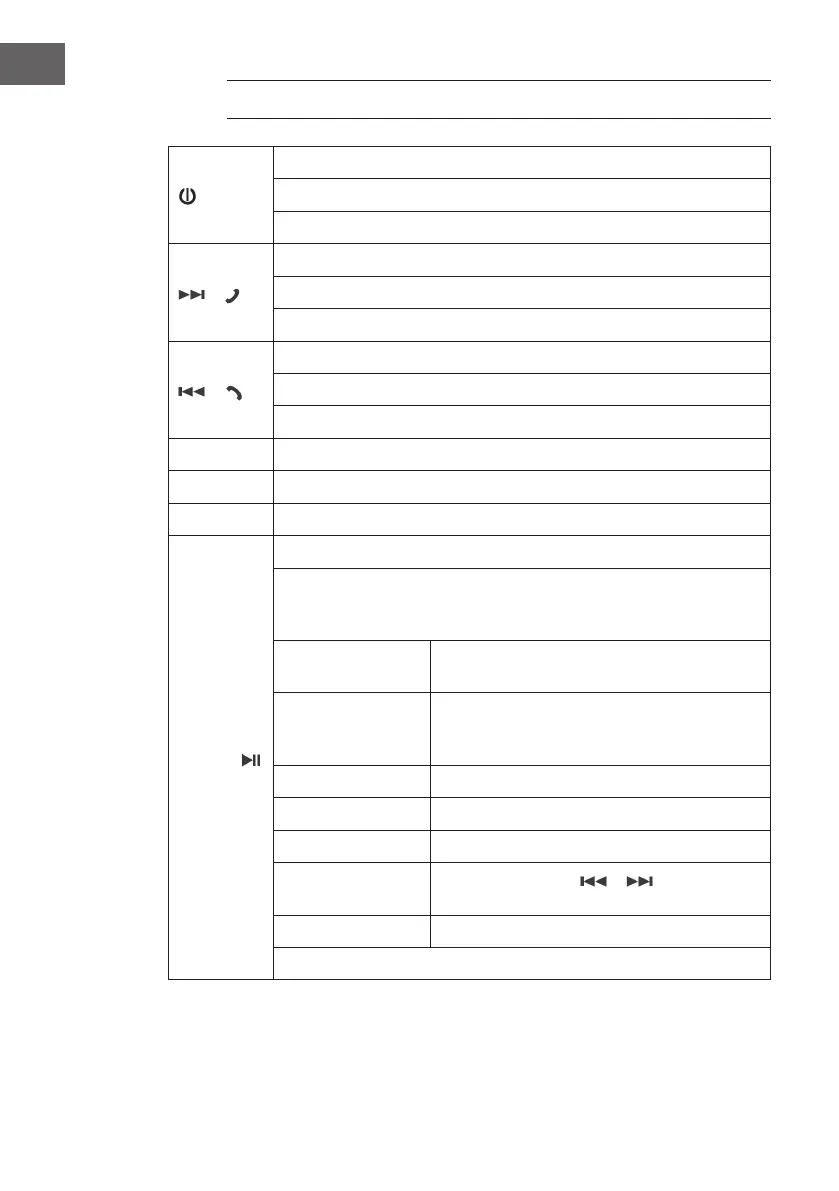
/ MOD
Switch on
Switch o (hold down)
Mode selection: Radio / USB / SD / AUX / BT
/
Music mode: Next track / fast forward (press and hold)
Radio mode: Next station / station search (press and hold)
BT: Answer incoming call
/
Music mode: Previous track / rewind (press and hold)
Radio mode: Previous station / station search (press and hold)
BT: End / reject call
VOL+ / - Adjust volume
AUX IN For connecting external devices.
SD/USB IN Connections for USB and SD memory
MENU /
Music mode: Play/Pause
In radio mode: Press several times for the functions and options;
change the parameters each time with Vol+/- - wait 3 seconds so
that the value changed each time is automatically saved.
SEL BAS - TRE - BAL - FAD - LD (on/o) - EQ
(JAZZ/ROCK/CLASS/POP/DPS/OFF) - 12/24H
RDS TA (on/o) - AF (on/o) - TA SK/TA ALM -
ST/MO - Retune L/S - MSK DP/ALL - ON DX/
LOC - CT ON/OFF
PTY
BAND (radio only) FM1 - FM2 - FM3
APS (radio only)
CLK Use the arrow keys
/ to
set the minutes and hours
LED Blue - Green - Red - Auto
In music mode, press and hold for menu / track selection


 To Next Page