Remote Control
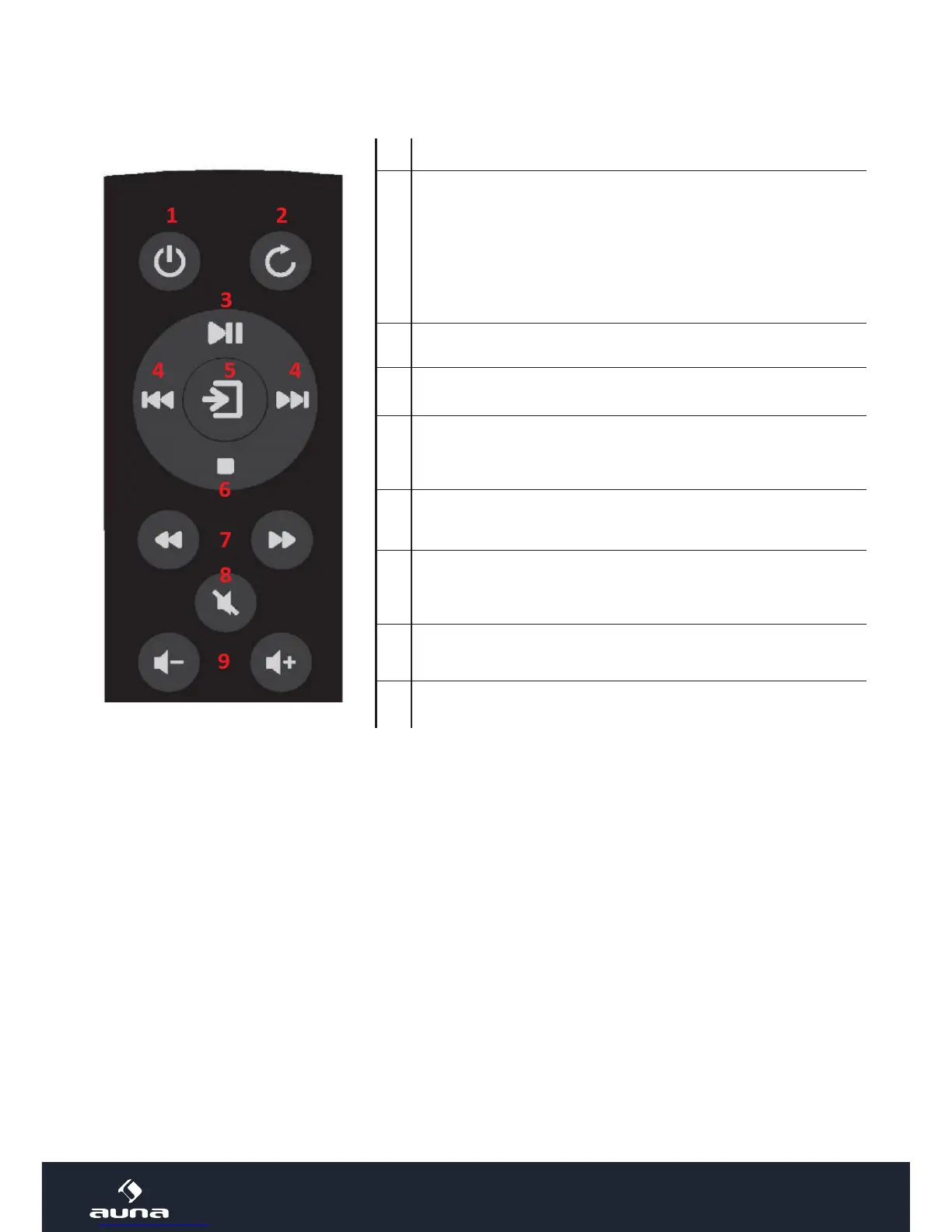
1 On / standby
2
REPEAT/RANDOM: Press repeatedly to toggle through the
available play modes:
• REPEAT 1 (repeat current track)
• REPEAT ALL (repeat all contained tracks)
• REPEAT FOLDER (MP3-CDs only: repeat current folder)
• RANDOM (play contained tracks in random order)
• OFF (normal play mode)
3 Play/Pause
4 Previous/next track/station
5
Mode selection: Press repeatedly to select the desired
mode (BT, AUX, DAB, FM, or CD).
6 Stop
7
Fast rewind/fast forward
MP3-CDs: previous/next folder
8 Mute/unmute
9 Volume +/-
BT
Switch to BT mode. Activate BT on your smartphone or tablet. Pair with the MELODIA. Use your smart de-
vice to operate the media playback, or use the buttons on the top panel of the MELODIA.


 To Next Page