Overview and Operation
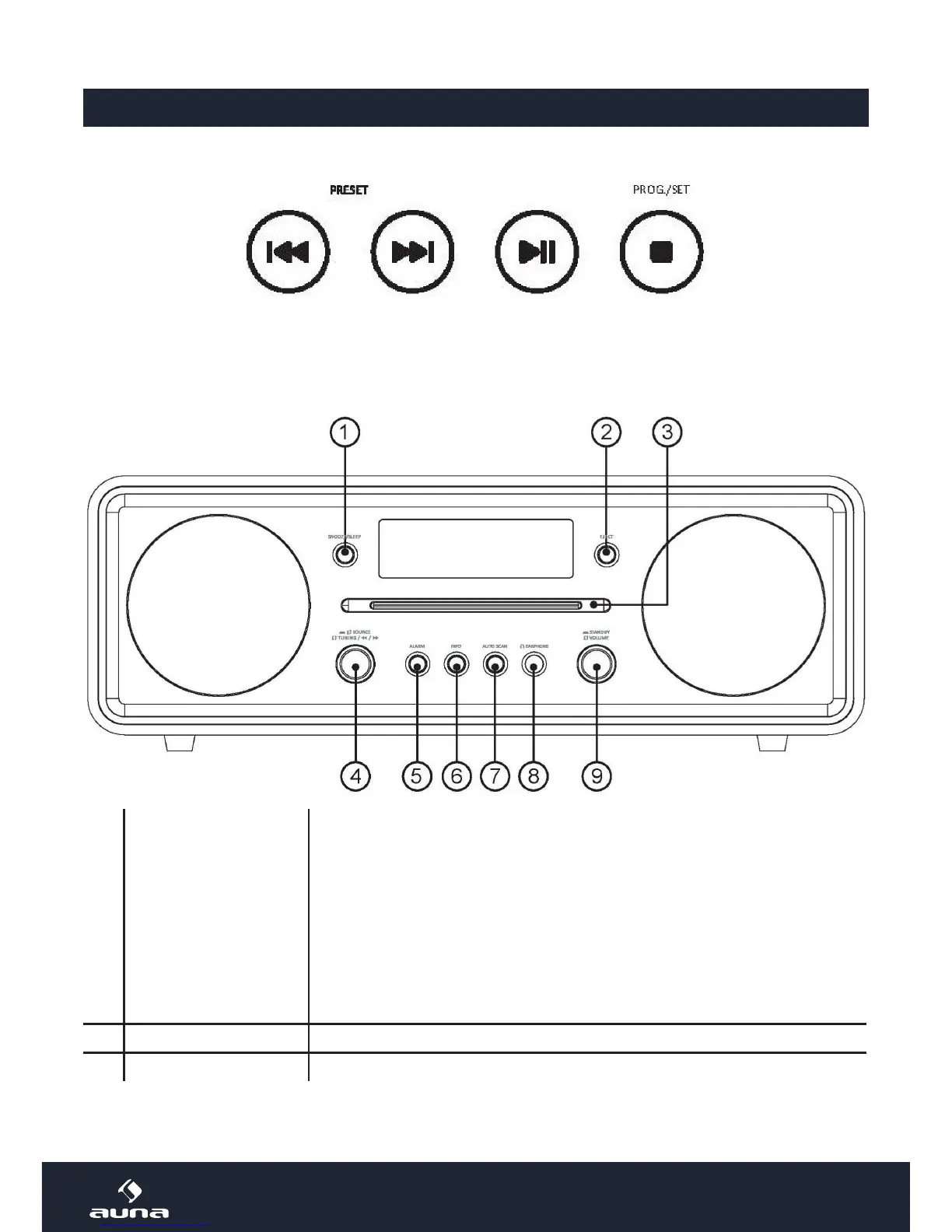
Top Panel
Previous/next track/station Play/Pause Set/Stop*
*Press to stop playback. In FM/DAB modes, press and hold to save the current station to presets.
Front
1 SNOOZE/SLEEP
SNOOZE:
Only active in standby mode, when an active alarm is set to BEEPER. Press
to stop the alarm for another 9 minutes of sleep. A corresponding icon will
appear on the display.
SLEEP:
Press repeatedly (while listening) to activate and adjust the sleep timer in
steps of 10 minutes (90min - 80min - ... - 10min - o). The device switches
of automatically after the set time. When the sleep timer is active already,
press to display the remaining time.
2 EJECT Press to eject the inserted CD
3 Slot-In CD drive


 To Next Page