10
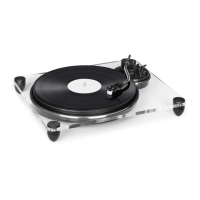
45 RPM adapter 1 8 Tone arm
Turntable 2 9 Power Cord
STOP button 3 10 LINE OUT (R)/ LINE OUT (L) jack
Speed regulator (33/45rpm) 4 11 BT/LINE OUT Button
Cartridge 5 12 BT transmitter LED
Up/down button 6 13 Dust Cover
Tone arm stand 7
Operation
General
• Connect the device to a household mains socket.
• Connect the LINE OUT to your HiFi (AUX IN or PHONO IN) or to your PC (MIC IN/LINE IN), using
the supplied audio/RCA cable.
• Slide the mode switch (11) to the desired position (BT / LINE OUT)
• Place a record on the platter. Add the puck to center, if needed.
• Set the desired speed with the speed switch.
• Lift the tone arm, pressing UP. Then, hover the tone arme carefully towards the record grooves.
Press DOWN to lower the tone arm until it touches the vinyl.
• Enjoy your vinyl record.
• Press STOP to stop playing. Else, when the record comes to an end, the player stops automati-
cally. Lead the tone arm back to the tone arm stand.
• Protect the stylus/needle with the cover, as long the record player is not in use for a longer while.
BT
• Slide the MODE switch (11) to BT.
• Switch your BT speaker/amplier on and activate the BT function.
• Make sure no other BT devices are active within the direct surroundings.
• An acoustic signal indicates a succesfully established BT connection, and the BT LED stops as-
hing.


 To Next Page