19
EN
• Push upward of the stylus protector.
• Make sure that the tone arm is unlocked and free to move from the tone
arm rest prior to operating. Lock the tone arm again when not in use.
1. Press the Power Button (4.) twice and the Power LED Indicator (8.) will
light up in Red color.
2. Raise the turntable dust cover (1.).
3. Place the record on the platter (use the 45 RPM record adaptor if you
are playing 45 RPM records).
4. Set the speed selector (11.) to the proper position for the record you are
playing.
5. Set the cueing lever (10.) to the up position.
6. Lift the tone arm from the rest and slowly move it to the record side.
The platter will start to rotate and position the tone arm over the
desired position of the record.
7. Pull down the cueing lever (10.). The tone arm will come slowly on the
record and start playback.
8. Adjust the Volume + / - Button (5.) to the desire level.
9. At the end of the record, the tone arm will automatically stop spinning.
Lift the tone arm from the record and return it to the rest.
10. To stop manually, lift the tone arm from the record and return to the
rest.
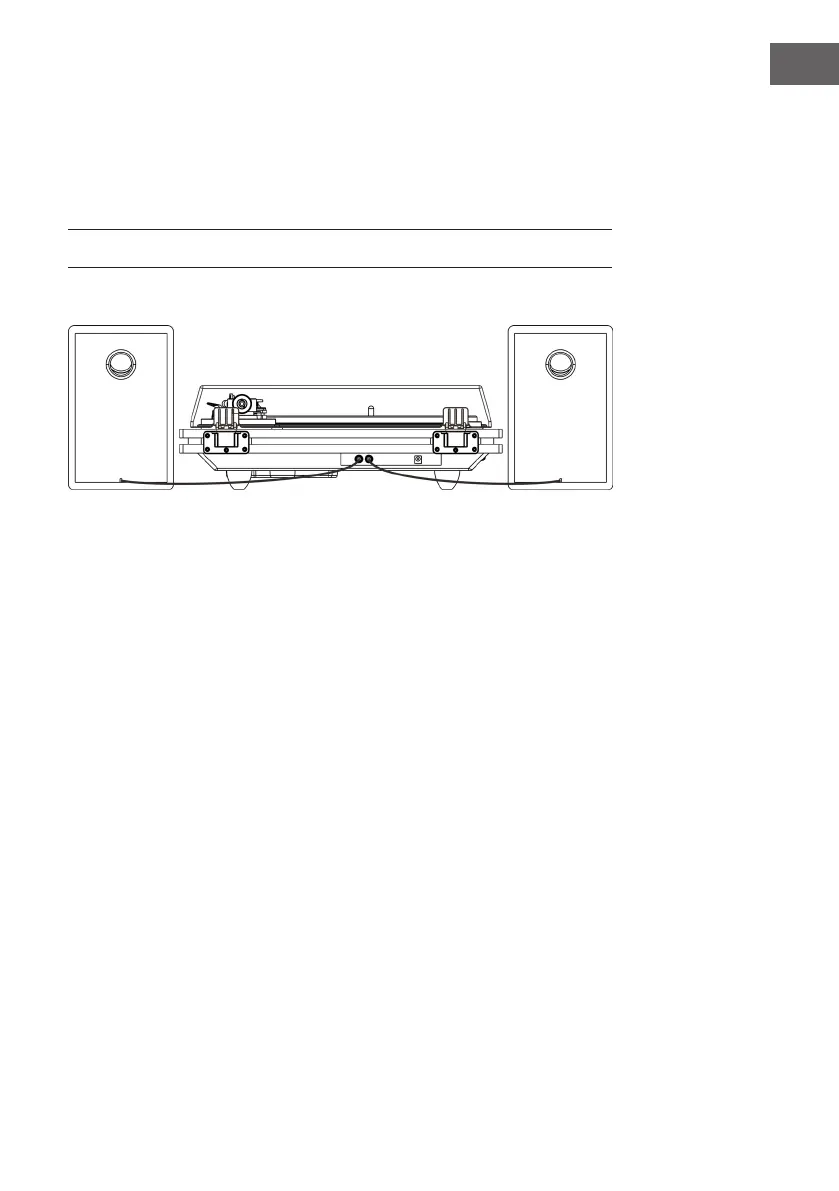
(14.) with the “R” mark.
3. Insert the DC plug (17.) to the DC Input jack (15.) of the main unit, then
connect the AC/DC adaptor (16.) to AC outlet.
4. Press the Power Button (4.), the BT Indicator (2.) will light up and
ashing. Your system is now ready to connect your BT device. Please
refer to the Operations section of this Manual for details.
TURNTABLE OPERATION


 To Next Page