8
9
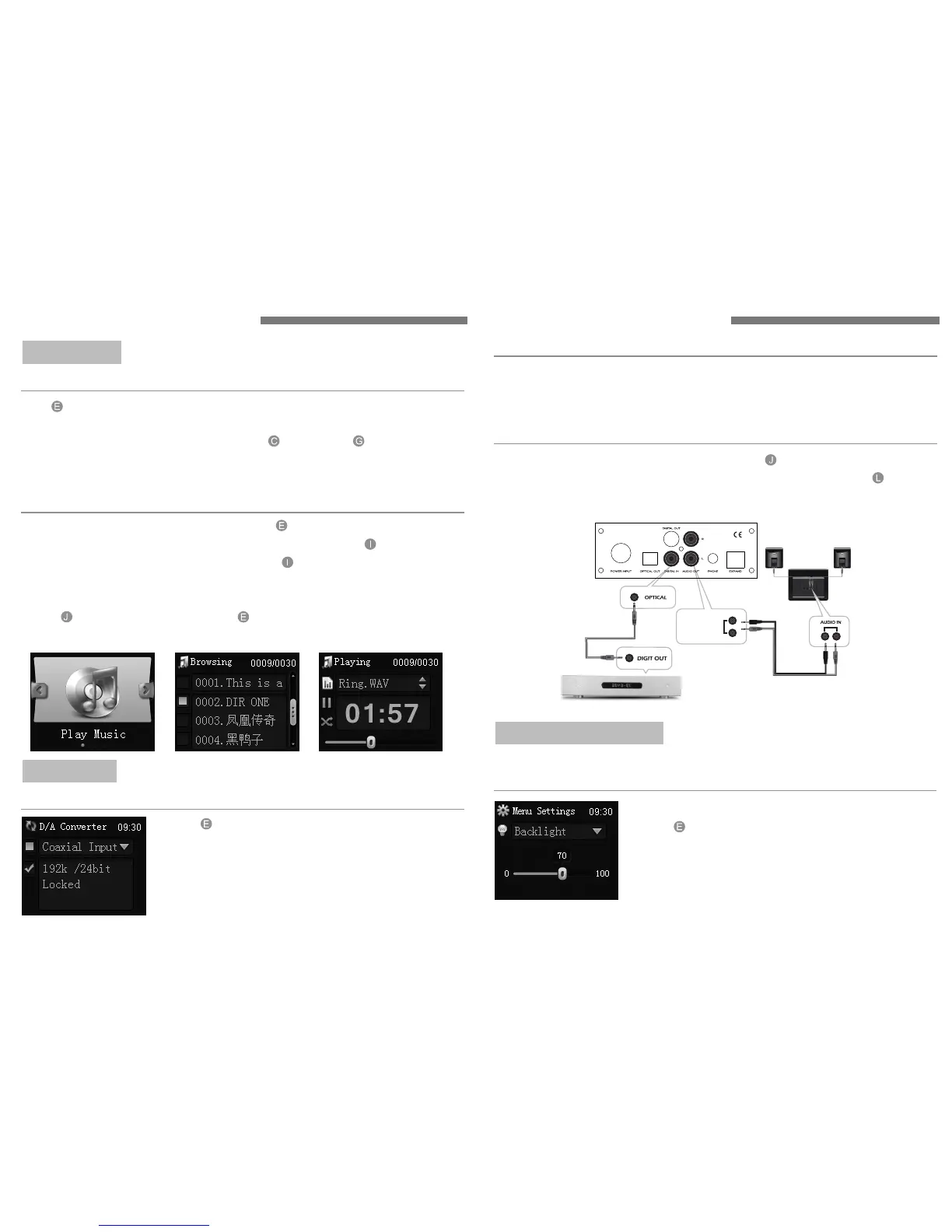
Use button to choose "Play Songs". Press again to choose "U Disk Or
SD Card".Use the same button to choose "The Songs You Want View".
After enter the directory,you can use the button and button to
choose the previous and next songs. If the file name is too long,it will
automatically scroll display.
Enter "Music Play" of the main menu.Press button to choose "Certain
Disk" and view songs on it. Choose an audio file and press button to play.
Choose an audio document or a disk,press button to play all the files in
the directory.
You can jump to another song at any time when you play the directory,
press button directly,then press button to jump to the appropriate
song.
View Songs:
Quick Playback:
Press button to choose DAC input.
Press again to choose coaxial input.
"√" will appear after chosen.
Coaxial Input:
DAC INPUT
24BIT DAC:
AU DIO OUT
Connect the coaxial cable to the DIGITAL IN at the back t will
directly reduce the high–fidelity audio signals. The "AUDIO OUT" can be
directly connected to the multimedia speakers or amplifiers.
" " ,i
Connection with other audio devices:
After Coaxial Input is selected,the internal DAC of S1 will change digital
signals to analog signals and output. Then the player can be used as a
24BIT/192K DAC.
" "
Press button to choose "Advanced Settings".
Press again to choose "Backlight Settings".
Press the same button to adjust the network
parameter of digital player.
Press again to confirm your adjustment.
Under the menu of "Advanced Settings",you can set the"Network"
"Backlight" and "Date And Time". More details will be on "About".
Backlight Settings:
ADVANCED SETTINGS
OPERATING INSTRUCTION OPERATING INSTRUCTION
MUSIC PLAY



 To Next Page