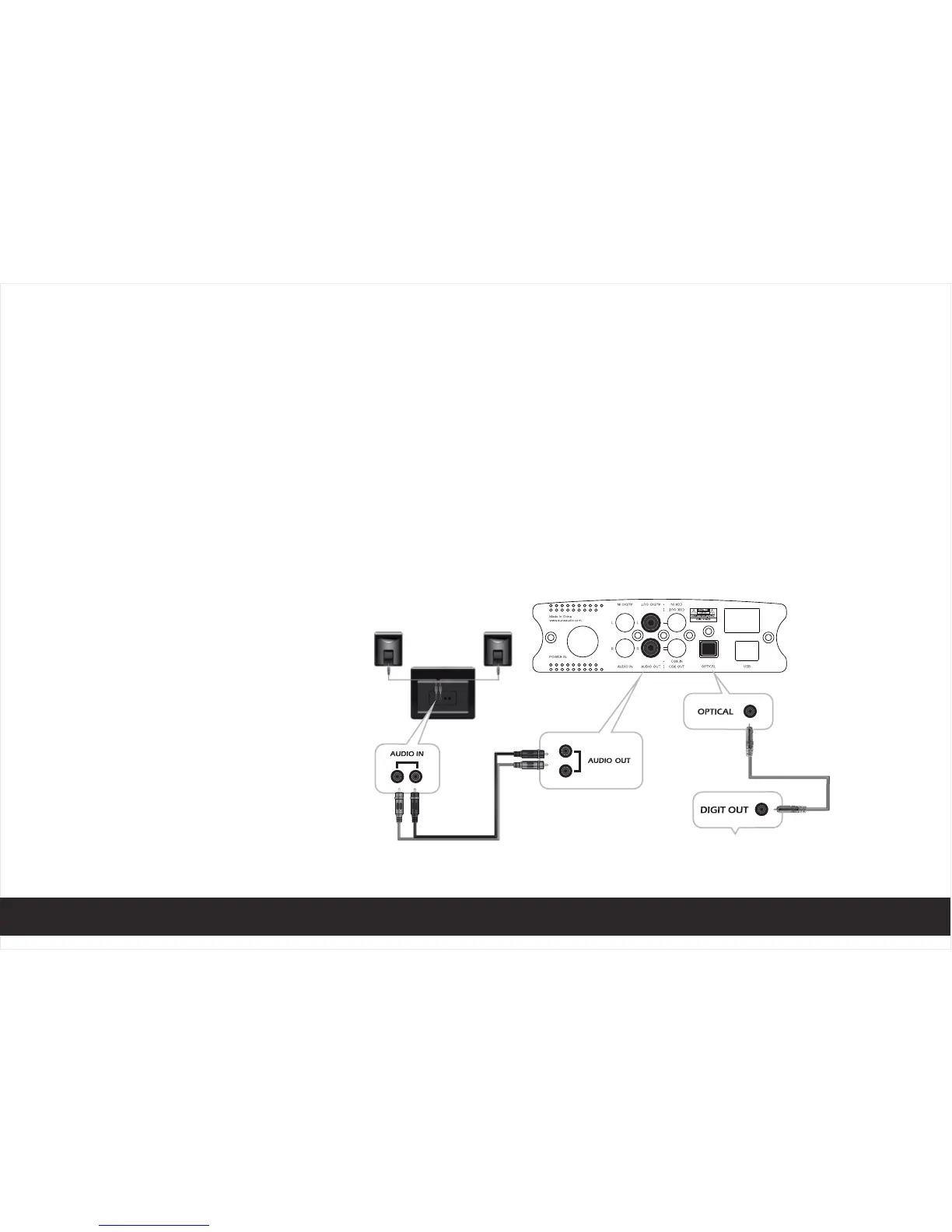
1、Connect the device to your digital out devices (CD player or computer with digital output) using
coaxial cable (as photo 3)
2、Press the Input signal button to make the indicator to "COAXIAL" or "OPTICAL" position, the LED will
turn when digital signal is locked
3、Play music on your devices
4、Connect active loudspeaker or amplifier through "AUDIO OUT" socket
5、Connect headphone through Phone socket
6、 Adjust sound level by knob
OPERATING
INSTRUCTION
DIGITAL DAC
photo 3
8


 To Next Page