Selection button
Indicator light
Operations
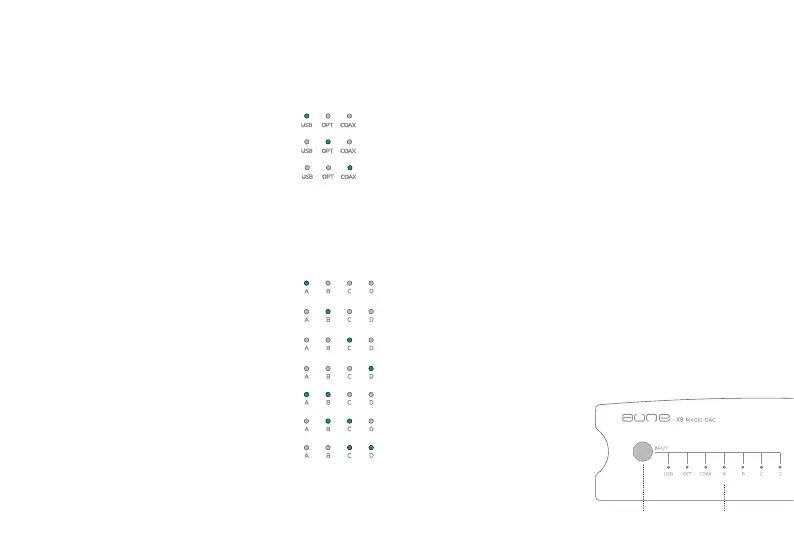
To change Input / filter mode
fastroll-off,linearphasefilter
slowroll-off,linearphasefilter
fastroll-off,minimumphasefilter
2. Press the button longer to change filter mode
1. Press the button on the panel to change input
a.Pressfor2secondstoindicatethecurrentfiltermode
b.Pressfor4seconds,thelightswillbeonandoffinturn.Letgowhenthelightsofthe
desiredfiltermodeis/areon.
slowroll-off,minimumphasefilter
apodizing,fastroll-off,linearphasefilter
hybrid,fastroll-off,minimumphasefilter
brickwallfilter
USB
Optical
Coaxial


 To Next Page